Building meaningful digital products through strategy, thoughtful design & AI.
I'm Laura, a Lead Product Designer with 10+ years of experience helping startups and product teams turn complex ideas into intuitive digital products. I combine product strategy, UX research, AI-powered workflows, and close collaboration with engineering to create products people trust, enjoy using, and that help businesses grow.
 +You
Book an intro call
+You
Book an intro call
Designing an AI-powered reporting tool for clinical trials
Product designer on Bayer's AI-assisted competitive intelligence and reporting tool, turning generated insights into an editable, source-backed report.
Designing an AI-powered reporting tool for clinical trials
Building a scalable React design system across three platforms
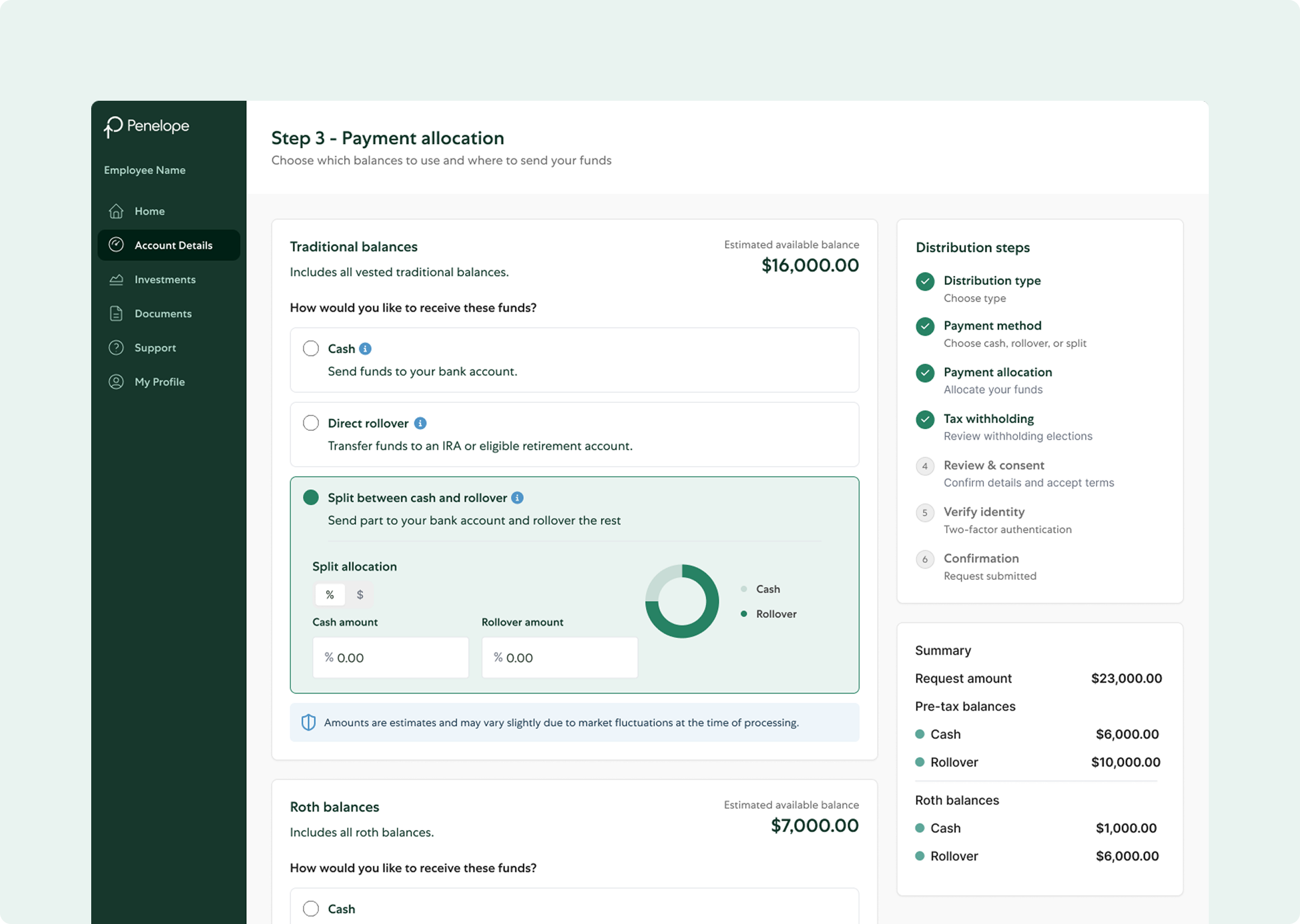
Senior product designer building Penelope's React design system from the ground up, shared across web, admin and partner platforms.
Building a scalable React design system across three platforms
Helping people sleep better, when they need it most
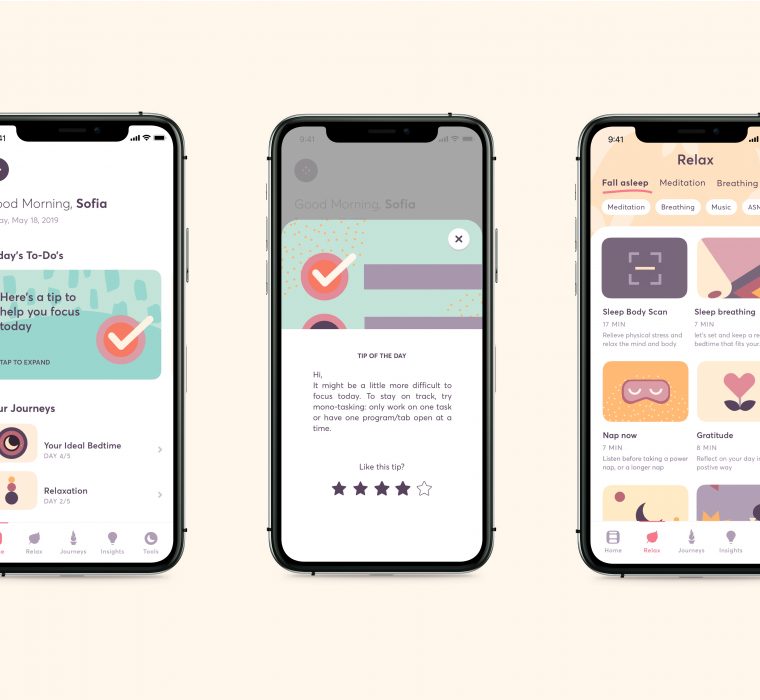
Product manager and product designer on a self-paced sleep-coaching program for busy professionals, built with design thinking and agile methods.
Helping people sleep better, when they need it most
Turning complex greenhouse data into a clearer workflow
Protocol planning turns a grower's care schedule, pruning, spacing, pest control, into a single timeline view, so what needs to happen and when is clear at a glance.
Turning complex greenhouse data into a clearer workflow
Shaping a clearer B2B gifting experience as the product evolved
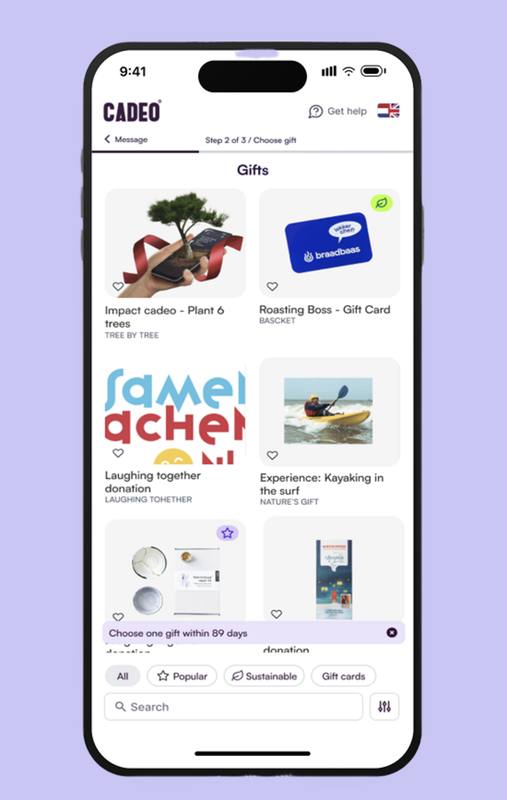
Took Cadeo's browse page from a hackathon prototype to a production-ready system, typography, grid and filter logic the team still ships from.
Shaping a clearer B2B gifting experience as the product evolved
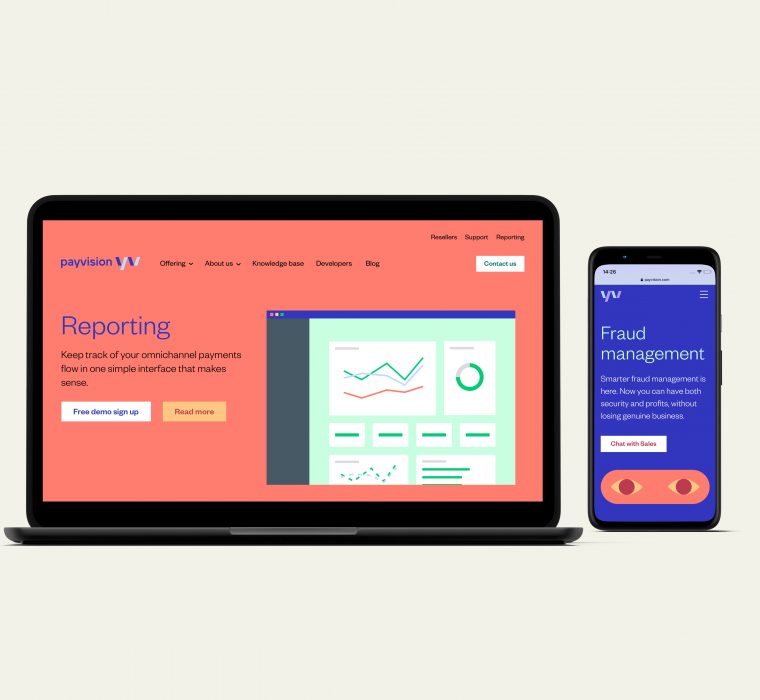
A fintech rebrand after acquisition
Product designer on Payvision's rebrand and platform UI following its acquisition by ING, design guidelines, UX and final website design.
A fintech rebrand after acquisition
Laura Herbon
Lead Product Designer · Product Strategy · Design Systems · AI
I help founders and product teams turn complex, ambiguous problems into clear products that work for both users and the business.
I like getting involved early: understanding the problem, shaping the direction, and working closely with product and engineering to bring ideas into reality.
What I enjoy working on
I’m especially drawn to complex products where there is still ambiguity to solve and where design can influence the product itself, not just the interface.
I particularly enjoy projects related to health, life sciences, wellbeing and other knowledge-heavy domains, where understanding the problem deeply really matters.





What I bring
- A product mindset, not only a design oneI like being involved early: exploring the problem, talking to users, identifying opportunities and helping shape what the product should become.
- Close collaboration with founders and product teamsI work best as part of the product team, collaborating closely with founders, product managers and engineers rather than working in a separate design lane.
- Balancing users and the businessMy Product Management experience helps me think beyond the interface and consider priorities, feasibility, business goals and where the product can create the most value.
- Systems thinkingI look for patterns across workflows, components and product decisions so what we build is clearer, more consistent and easier to scale.
- A practical approach to AII’m interested in how AI can genuinely improve workflows and decision-making, and how to design those experiences so they remain useful, understandable and trustworthy.
Interests
 Health & psychology
 Behaviour science
 Social justice
 Food
Food Technology & AI
 Art
Art Interior design
A lot of what influences my design work comes from outside design itself, how people behave, how systems affect people, how technology changes everyday life, and how culture, food and art shape the way we experience the world.
Shelf
★ Books that shaped how I think about product and behaviour
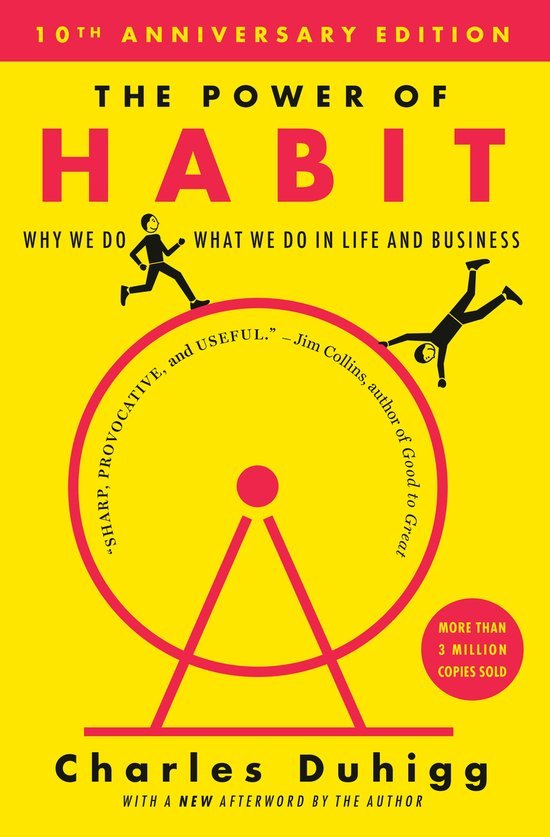
The Power of Habit

Think Like a UX Researcher
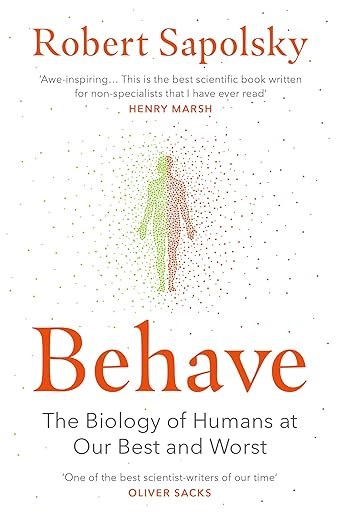
Behave
Tiny Habits

Designing for Behavior Change

The Design of Everyday Things
Design as Art
UX for Lean Startups

The Lean Startup

Inspired

The Making of a Manager
Product Management's Sacred Seven
Work / Case study
Helping people sleep better, when they need it most.
I led product strategy, research and design for Shleep’s sleep-coaching experience, uncovering a critical gap in the middle of the night and turning it into a new product experience with measurable impact.
Overview: Led strategy, research and design on Shleep's core sleep-coaching product, from identifying why users struggled most in the middle of the night to shipping and measuring the feature built to address it. Worked closely with founders, engineering and content in an agile, design-thinking process.
Impact: 9-point rise in overall NPS, NPS of 8 for the Nighttime SOS feature, 10% increase in MAU, 5% increase in DAU, and a 10% reduction in average sleep debt among active users.
Role
Product Manager & Product Designer
Company
Shleep
Industry
Digital health & wellbeing
Timeline
2019 to 2021
Team
Founders, engineering, content
Methodology
Design thinking, Agile & Scrum
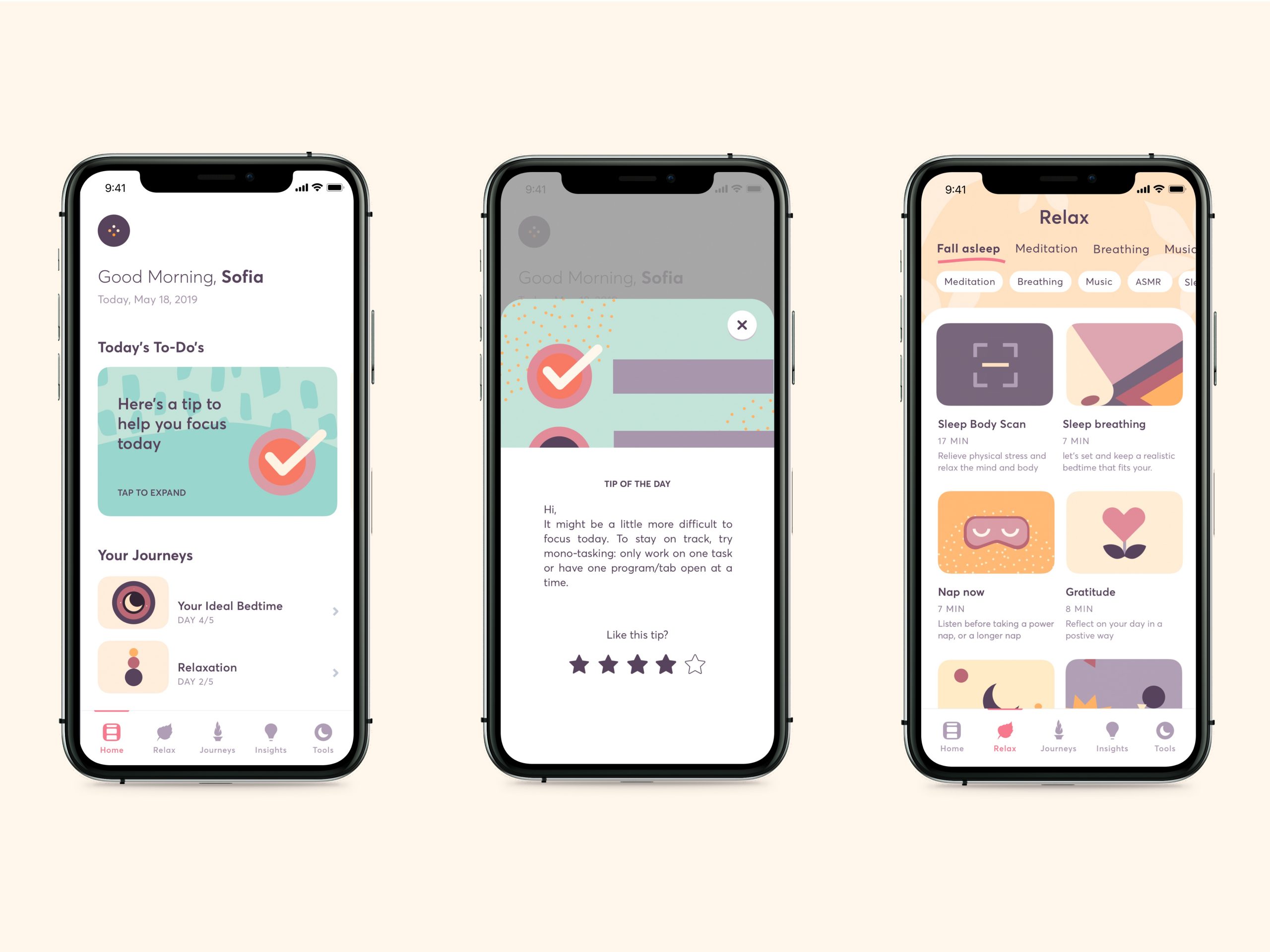
Goals
The goal was to redesign the app to bring value to our target user. Create additional features, improve overall user experience, make beautiful, consistent UI and branding.
Metrics to improve
- NPS
- Engagement (app downloads, MAU, DAU)
- Sleep debt
My priorities
- Define target user by creating personas
- Understand the problems of target user
- Design features bringing value to target user
Research
Research and team effort before designing
Before developing new features, I acquired extensive knowledge on Shleep, the problems and our target user.
- Interviews and meetings
with Shleep founders and team - Review all available data
sleep data, Mixpanel and user feedback
Because the meetings and available data didn't provide a full picture, I decided to gather more information.
- Interview 10 current users
happy and unhappy users - Interview 10 potential target users
explorative research - Usability testing
with 5 current users - Competitor analysis
What we learned
Research, product data and sleep science pointed to the same opportunity: people with chronic insomnia often wake during the night feeling stressed and need immediate, low-effort support to help them settle and return to sleep.
95% had chronic insomnia, with 85% waking during the night or too early.
Users wanted quick, simple support to reduce stress and get back to sleep.
70% used Relax, making it one of Shleep’s most popular features.
CBT-I is the leading treatment for chronic insomnia, with results typically within weeks.
What users were telling us
Question from •••••@gmail.com (google): Im tired but I can't sleep because I wake up many Times. Why?
Question from •••••@gmail.com (google): Why do I wake up often in the night?
Question from •••••@gmail.com (k3p5n9): I keep getting up early. I think I'm doing everything right: managing my screen time, keeping up a nighttime schedule and habit, making sure my room is cool and dark. What can I do?
Problem
Waking up mid-night
85% of users wake up mid-night or too early and are unable to return to sleep.
Ideation
Turning research insights into opportunities
Together with the team, I facilitated a brainstorming session to turn our research insights into potential product opportunities. We mapped the ideas by user value and implementation effort, helping us identify which directions were worth exploring further.
From there, I worked with the founder to prioritize the strongest ideas and translate them into a roadmap for the next phase.
The prioritization board in Miro: ideas mapped by user value and implementation effort.
Concept
Nighttime SOS
Immediate support for users who wake during the night and struggle to fall back asleep.
Nighttime SOS combines breathing exercises, meditation, calming audio and sleep stories in a simple dark interface designed for minimal effort at night.
Why we prioritized it
Using the RICE framework, Nighttime SOS emerged as a strong opportunity:
- High reach & impact · 85% of users experienced nighttime waking
- High confidence · Supported by research and existing Relax usage
- Low effort · Built largely on existing content and patterns
Refining the concept
Designing the right nighttime experience
I combined competitor research, sleep science and weekly user testing to understand what works at night and refine the content and experience.
01
Market patterns
Sleep apps used dark interfaces and offered varied calming content.
Keep the experience dark, simple and easy to navigate when half-awake.
02
Sleep & audio research
Audio preferences varied across meditation, music and sleep stories.
Offer different content types rather than one prescribed solution.
03
Weekly testing
Tested audio weekly with 10 users to understand what helped or disrupted sleep.
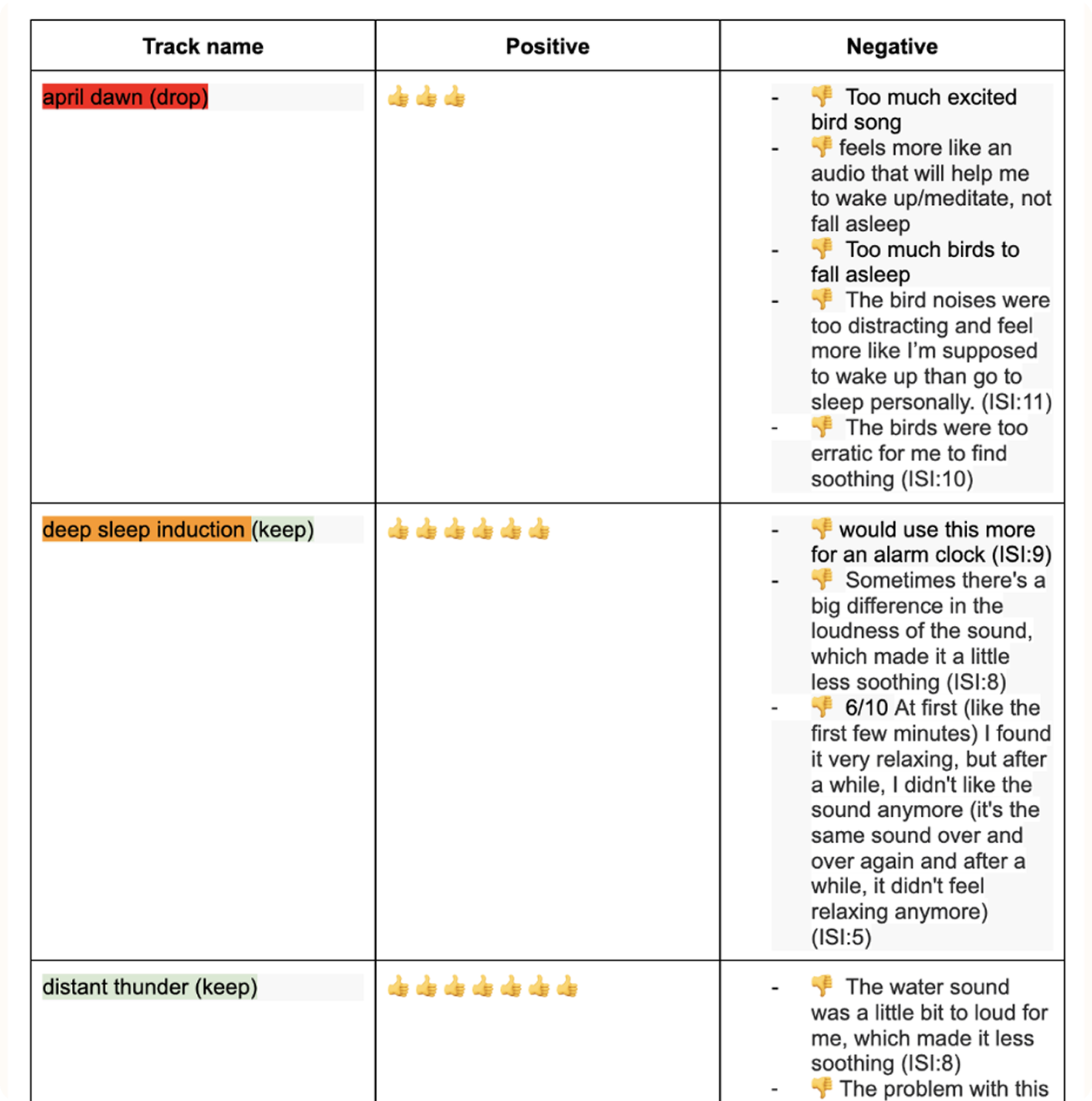
Testing the content
Weekly feedback helped identify which audio worked, what was distracting and what should be removed or improved.
Design ideation
Exploring the nighttime experience
I explored different visual and interaction directions for Nighttime SOS, focusing on clarity, comfort and low cognitive effort for users waking during the night.
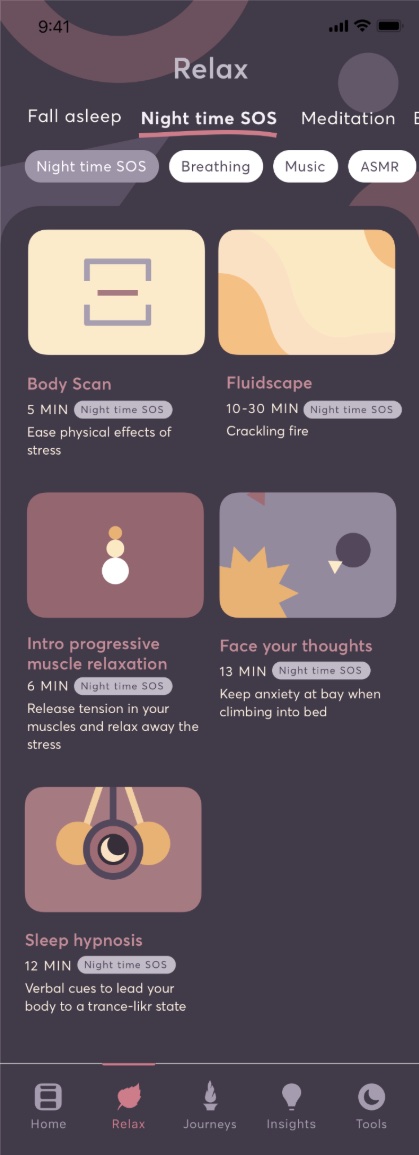
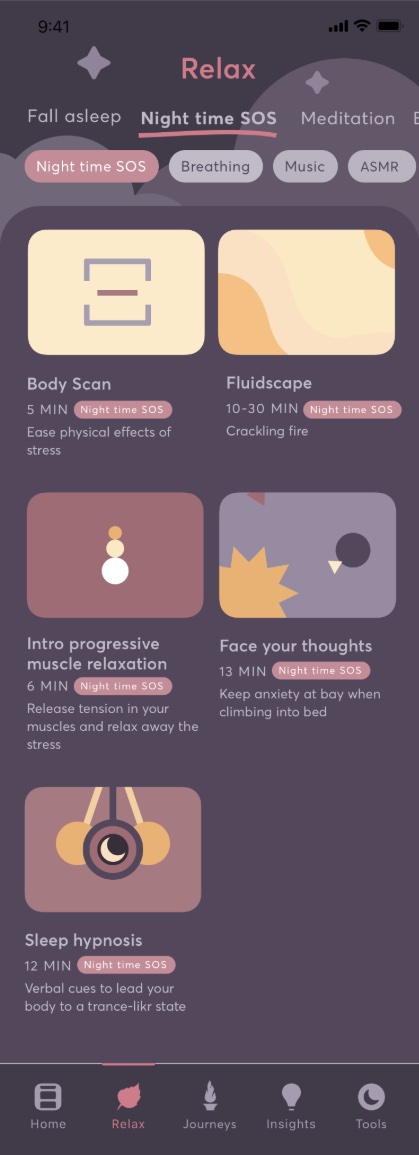
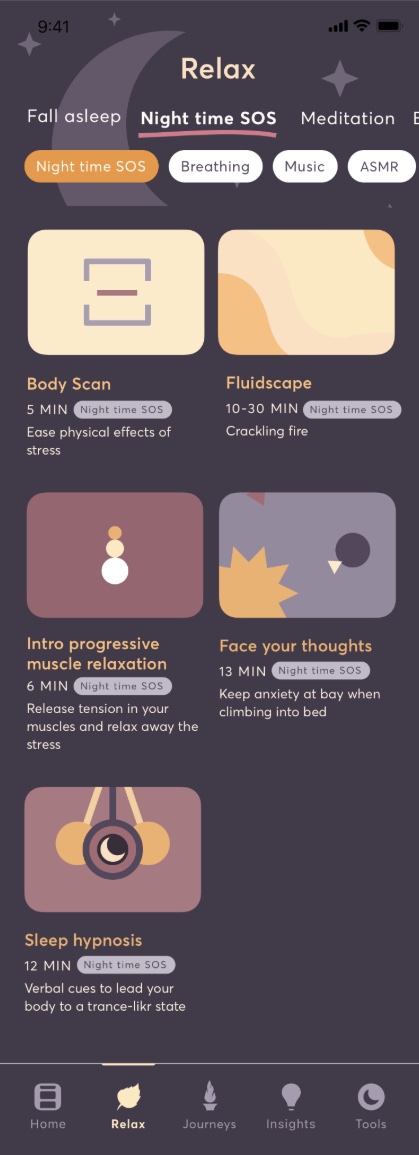
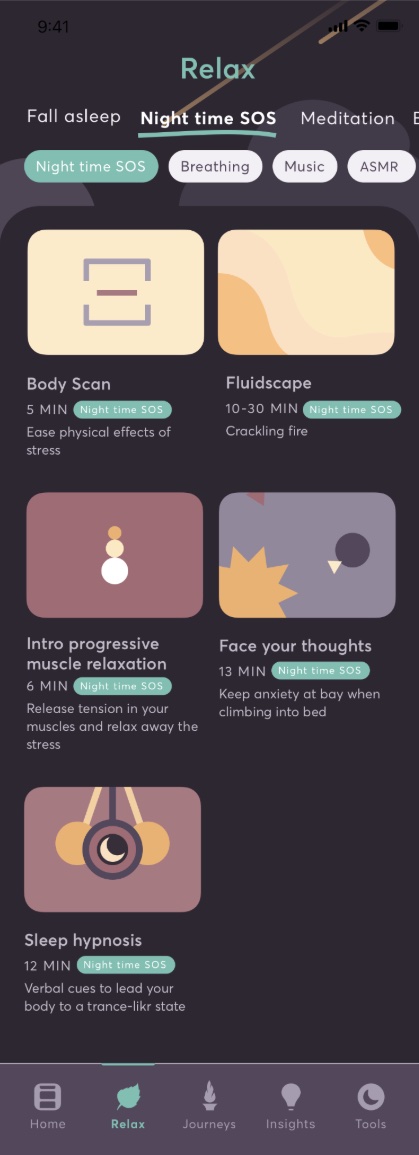
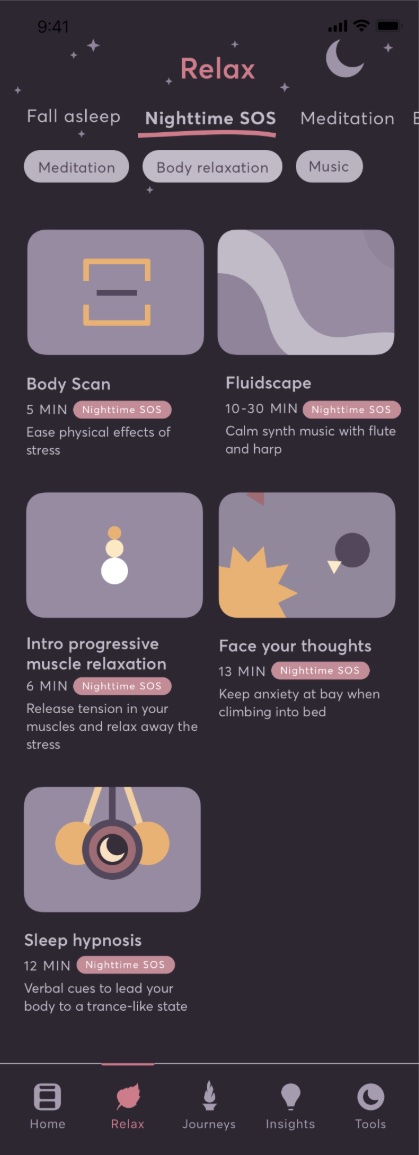
Exploring different palettes, illustrations and interaction patterns for a calmer nighttime experience.
01
Visual direction
Explored different color palettes and illustration styles to create a calmer experience for nighttime use.
02
Interaction
Tested different audio controls, durations and guided interactions to make the experience simple when half-awake.
03
Selected direction
Moved forward with a muted dark palette, softer illustrations and familiar audio controls for a calmer, clearer experience.
Prototyping & testing
Testing the experience
I turned the selected direction into an interactive prototype and tested the flow, controls and animations with users to understand what needed more clarity.
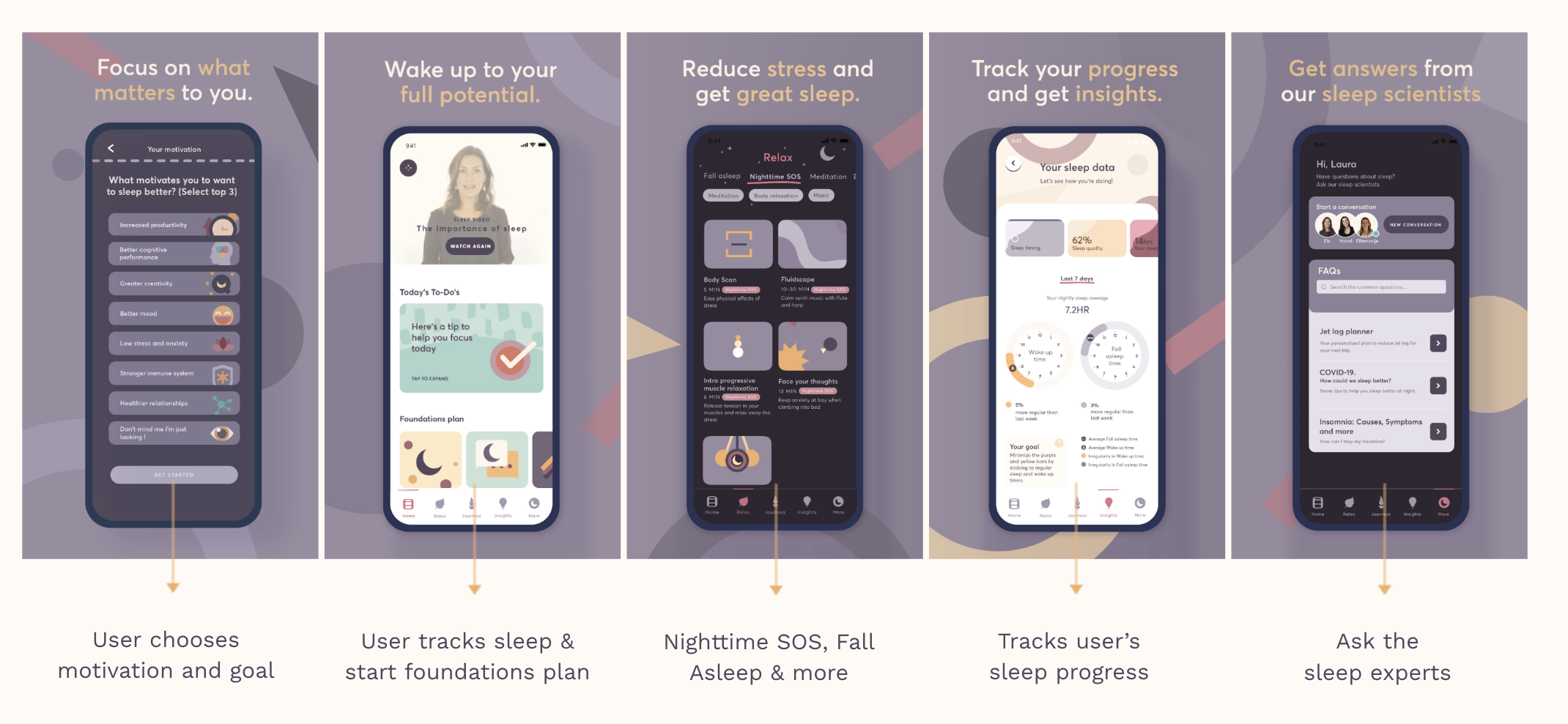
The finished flow: from choosing a motivation, through tracking and Nighttime SOS, to insights and expert support.
Launch
Bringing Nighttime SOS to users
I worked closely with the team to take Nighttime SOS from final design to launch, coordinating the product experience and launch touchpoints ahead of release.
01
Handoff & QA
Prepared the final designs, supported implementation and ran design QA to ensure a consistent experience.
02
Launch experience
Designed the in-app touchpoints introducing Nighttime SOS, including notifications and promotional moments.
03
Launch communication
Created email and App Store assets to communicate the feature and its value across channels.
Impact
Nighttime SOS improved engagement and sleep outcomes
After launch, we saw improvements across user satisfaction, engagement and sleep behavior, while qualitative feedback showed how the feature was helping users in practice.
+10% / +5%
MAU / DAU
Higher engagement after launch.
NPS 8
Nighttime SOS
Alongside an improvement in overall product NPS.
−10%
Sleep debt
Reduction in users’ average sleep debt.
Beyond the numbers
Users returned to Nighttime SOS weekly and often played more than one audio per session during their first month. The feature also supported commercial conversations, with the sales team reporting positive reactions from HR teams.
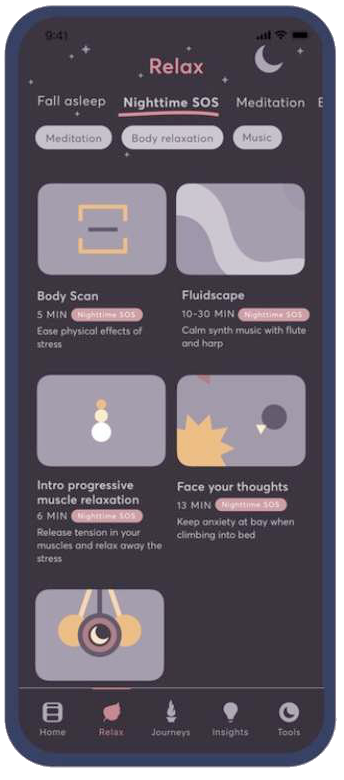
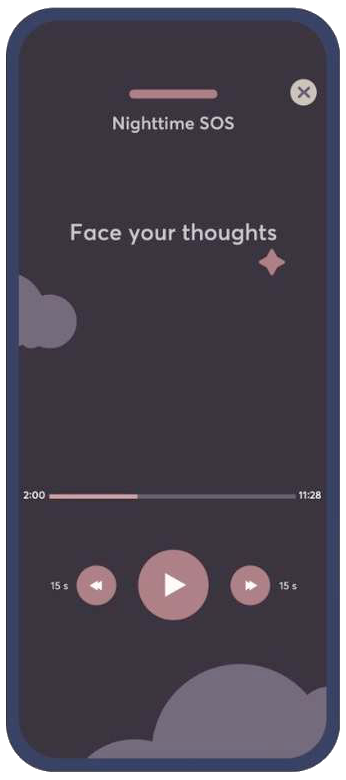
User feedback results
“Thank you so much for these new audios! I wake up several times to take care of my baby and this is helpful!”
Hey, your App Feedback: Relaxation typeform got a new response.
Overall, how likely are you to recommend Shleep's Relax function to a friend or colleague?9
Which of the following sections have you tried?Nighttime SOS, Meditation
Why do you use the Relax function?De-stress during the day, Fall asleep
Hey, your App Feedback: Relaxation typeform got a new response.
Overall, how likely are you to recommend Shleep's Relax function to a friend or colleague?10
Which of the following sections have you tried?Fall asleep
Why do you use the Relax function?Fall asleep
Hey, your App Feedback: Relaxation typeform got a new response.
Overall, how likely are you to recommend Shleep's Relax function to a friend or colleague?9
Which of the following sections have you tried?Breathing, Meditation, Music
Why do you use the Relax function?Gain focus, Fall back asleep when I woke up too early, Fall asleep, Fall back asleep during the night
Reflection
What we learned and where to go next
Nighttime SOS validated the need for quick, accessible support in moments of sleeplessness, while highlighting the opportunity to address the underlying causes of insomnia.
01
What worked
Users responded well to short, accessible audio content they could use immediately when struggling to sleep.
02
What we learned
Nighttime SOS helped in the moment, but couldn’t address the underlying stress, anxiety and behaviors contributing to insomnia.
03
What’s next
Continue evolving Nighttime SOS while exploring CBT-I-based experiences that support longer-term behavior change and sleep improvement.
My takeaway
This project reinforced the importance of designing for both the immediate user need and the underlying problem. Nighttime SOS created value in a specific moment, while opening a larger opportunity to support lasting improvements in sleep.
Work / Case study
Turning complex greenhouse data into a clearer workflow
Restructuring Log & Solve's information architecture and redesigning a key decision-making workflow for cultivation managers.
Overview: Log & Solve is a B2B agricultural SaaS platform used by growers and cultivation teams to monitor crops, record activities, review sensor and lab data, manage protocols and coordinate operational work. As the product grew, functionality had been added across many areas of the platform, leaving a powerful but increasingly complex system with overlapping sections and navigation that no longer reflected how different users worked. I audited the existing structure, rebuilt the information architecture with the team, and used it as the foundation for redesigning Summary, a key decision-making workflow for cultivation managers.
Impact: A clearer shared model of the product for the team, and a redesigned Summary workflow that turned a chronological activity feed into a compact, actionable overview.
Role
Product Designer
Company
Log & Solve
Industry
Enterprise SaaS / AgTech
Timeline
2023
Team
Product Owner, CTO, developers, and domain experts
Methodology
Product audit, information architecture, iterative design
Context
Log & Solve is a B2B agricultural SaaS platform used by growers and cultivation teams to monitor crops, record activities, review sensor and lab data, manage protocols, and coordinate operational work.
As the product grew, functionality had been added across many areas of the platform. The result was a powerful but increasingly complex system, with overlapping sections, inconsistent patterns, and navigation that no longer reflected how different users worked.
The challenge
My role was to help make the product easier to understand and scale.
Before redesigning individual features, I needed to understand how the platform was structured, how different users interacted with it, and where the existing information architecture was creating friction.
The challenge was not simply to simplify the UI, but to create a clearer structure for a large amount of interconnected functionality while preserving the depth needed by expert users.
Understanding the product
Auditing the existing platform
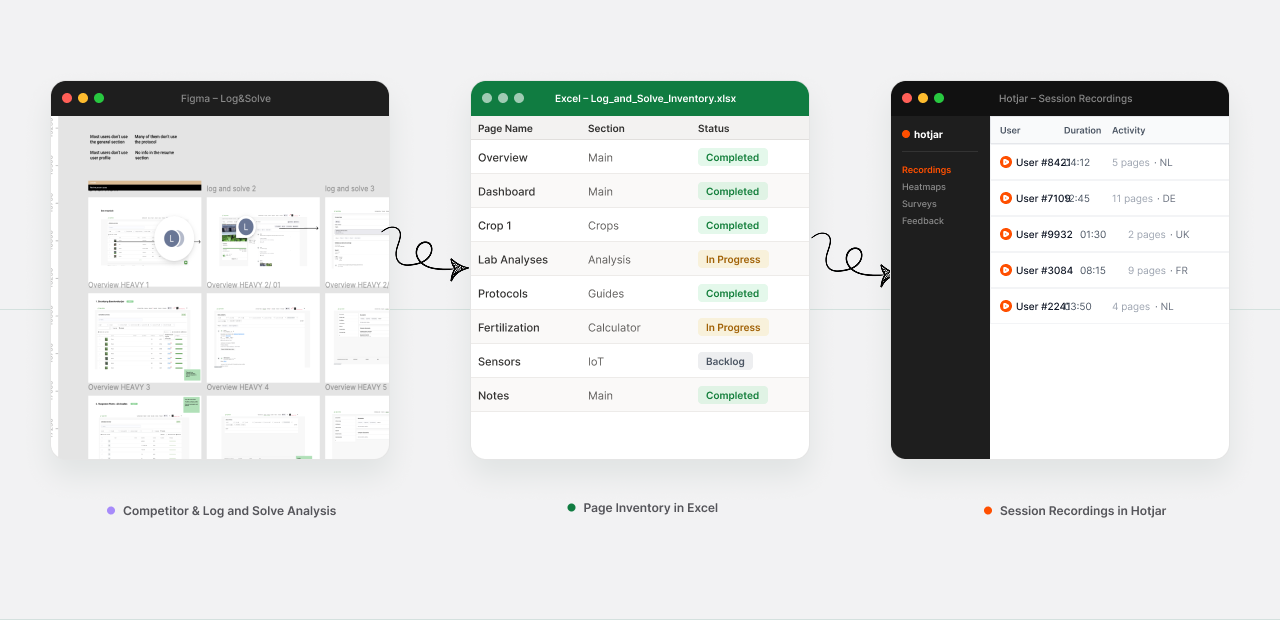
I started by auditing the existing platform. I created a repository of pages, subpages and links to understand the current structure, then mapped the existing sitemap to make the relationships between sections visible.
I also reviewed competitors and other complex data-heavy products to understand common patterns for navigation, filtering, tables and dashboards.
Because direct access to customers was limited, I combined several sources of product knowledge: existing personas, discussions with the product and domain teams, Hotjar observations, and ongoing feedback from people who worked closely with customers.
This helped me build a clearer picture of the main user types and the parts of the product they relied on most.
Ways of working
Designing around different ways of working
One of the clearest patterns was that different users came to the platform with very different goals.
- Managers needed to compare data across crops and locations, identify problems and make decisions.
- Operational users needed to record activities, follow protocols and complete assigned work.
I used these differences to evaluate the existing structure and to challenge where features should live, how they should be grouped, and which parts of the product needed to be easier to access.
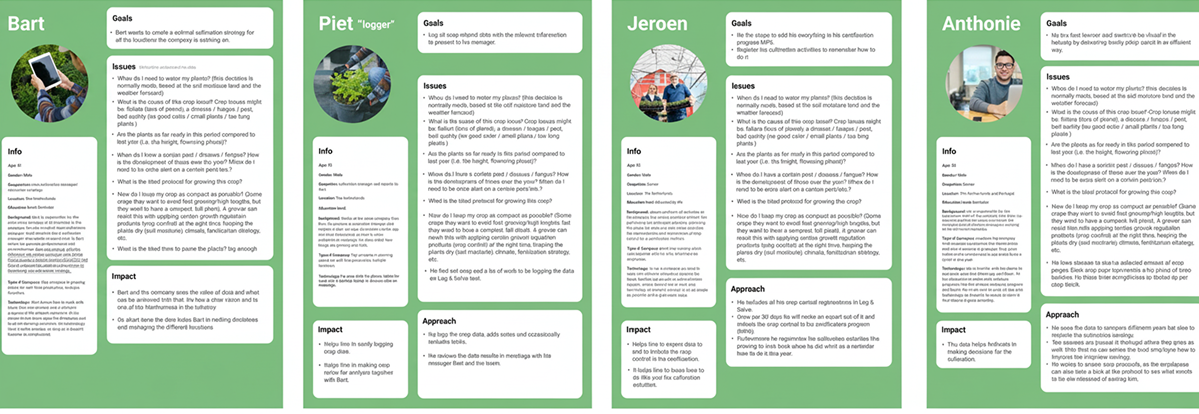
The four main personas used to evaluate the structure, from cultivation leads to operational loggers.
Comparing what each persona could access across the platform highlighted where structure needed to flex by role.
Information architecture
Restructuring the information architecture
Working closely with the CTO and the wider team, I explored multiple sitemap directions and iterated on the structure through feedback rounds.
We reviewed which sections should be kept, merged, renamed or reorganized, and I used the new sitemap as the foundation for the navigation.
The goal was to create a structure that could support the existing product while also giving the team a clearer framework for future features.
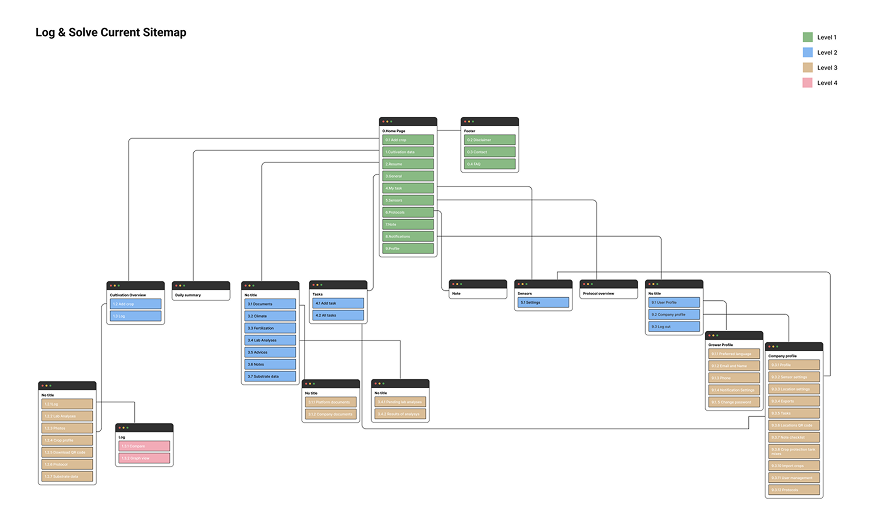
Before
The current sitemap: functionality added over time had left overlapping sections and a structure that no longer matched how people actually used the product.
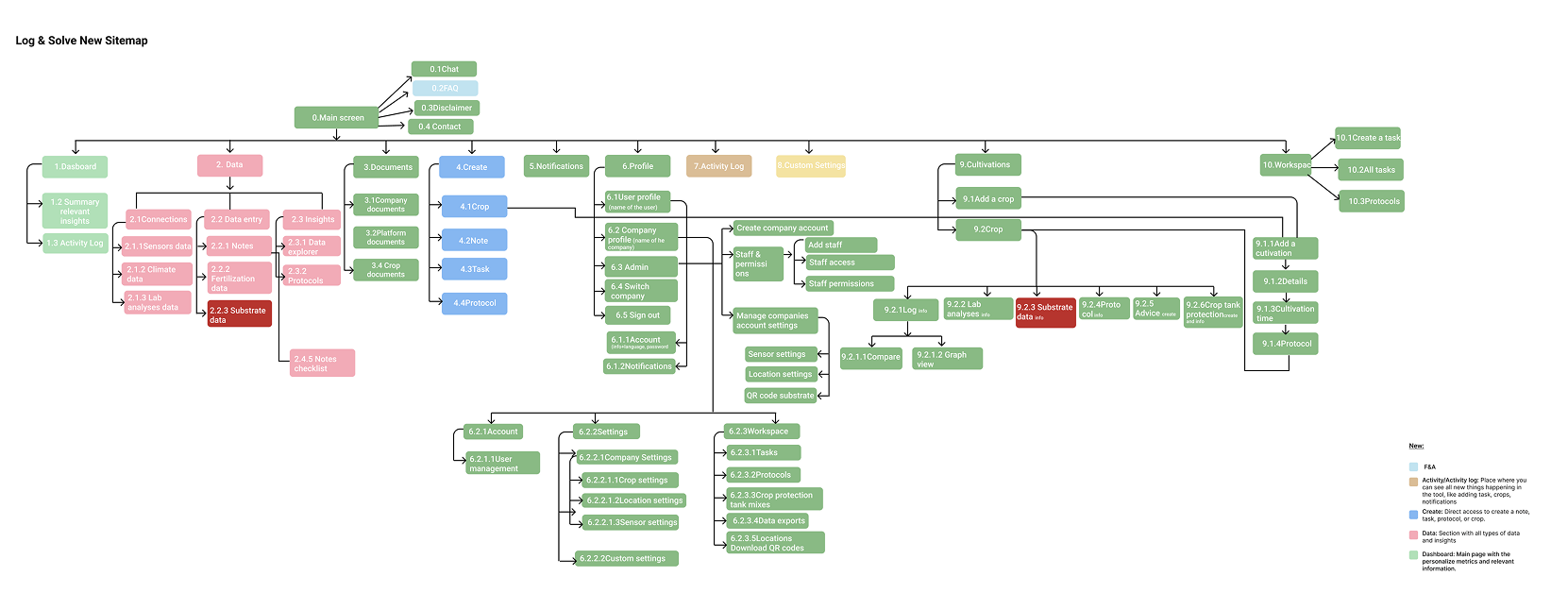
After
The new sitemap: sections regrouped and renamed around how managers and operational users actually work, with a clearer framework for future features.
Applying the new structure
Redesigning Summary
The Summary feature became a good example of how the broader product thinking translated into a specific workflow.
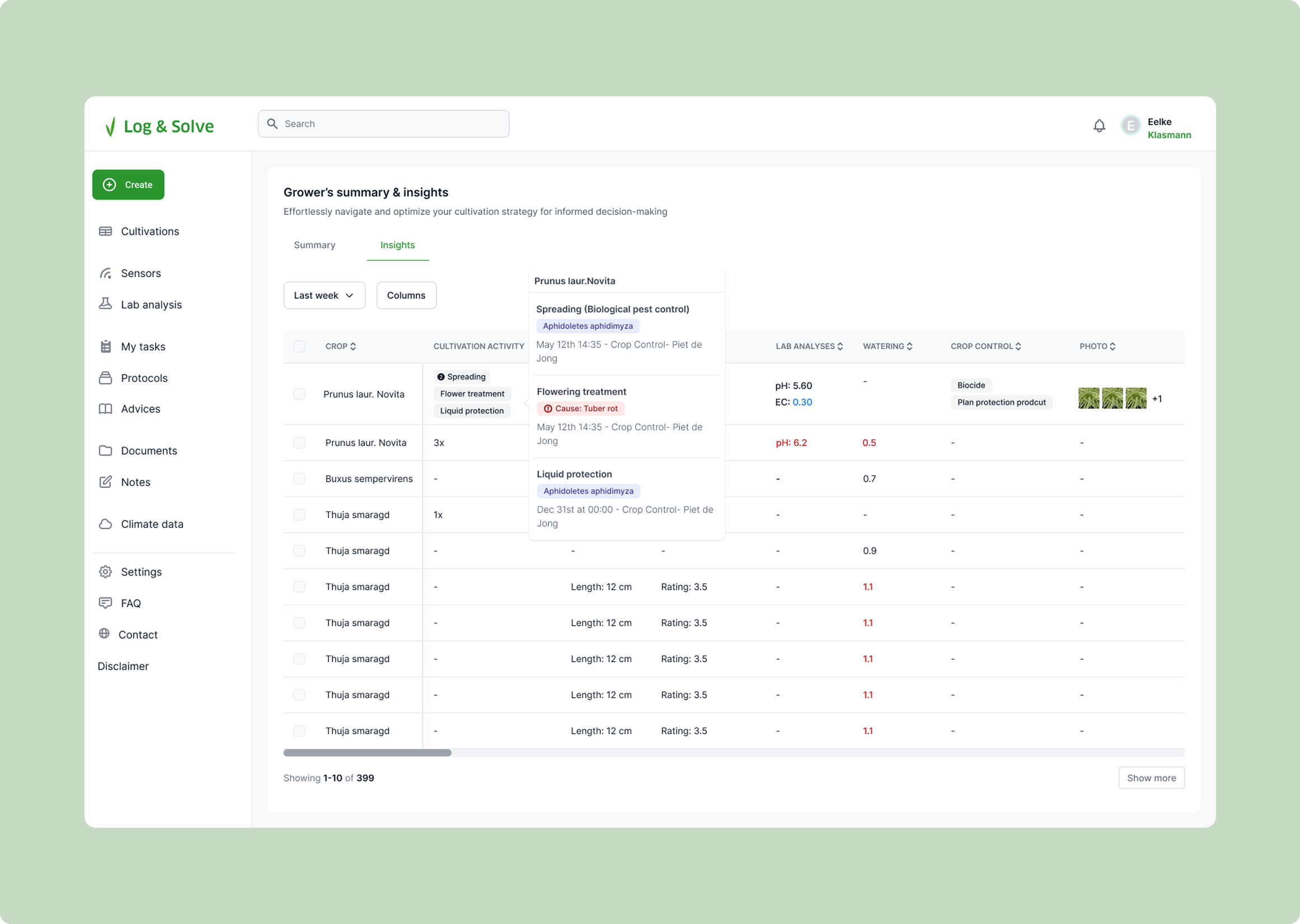
The previous Summary was mainly a chronological feed of activity. It showed what had happened, but it was difficult for a cultivation manager to quickly understand what needed attention across multiple crops.
The new requirement was to create a compact overview that could bring together different types of information, highlight important exceptions, and support action.
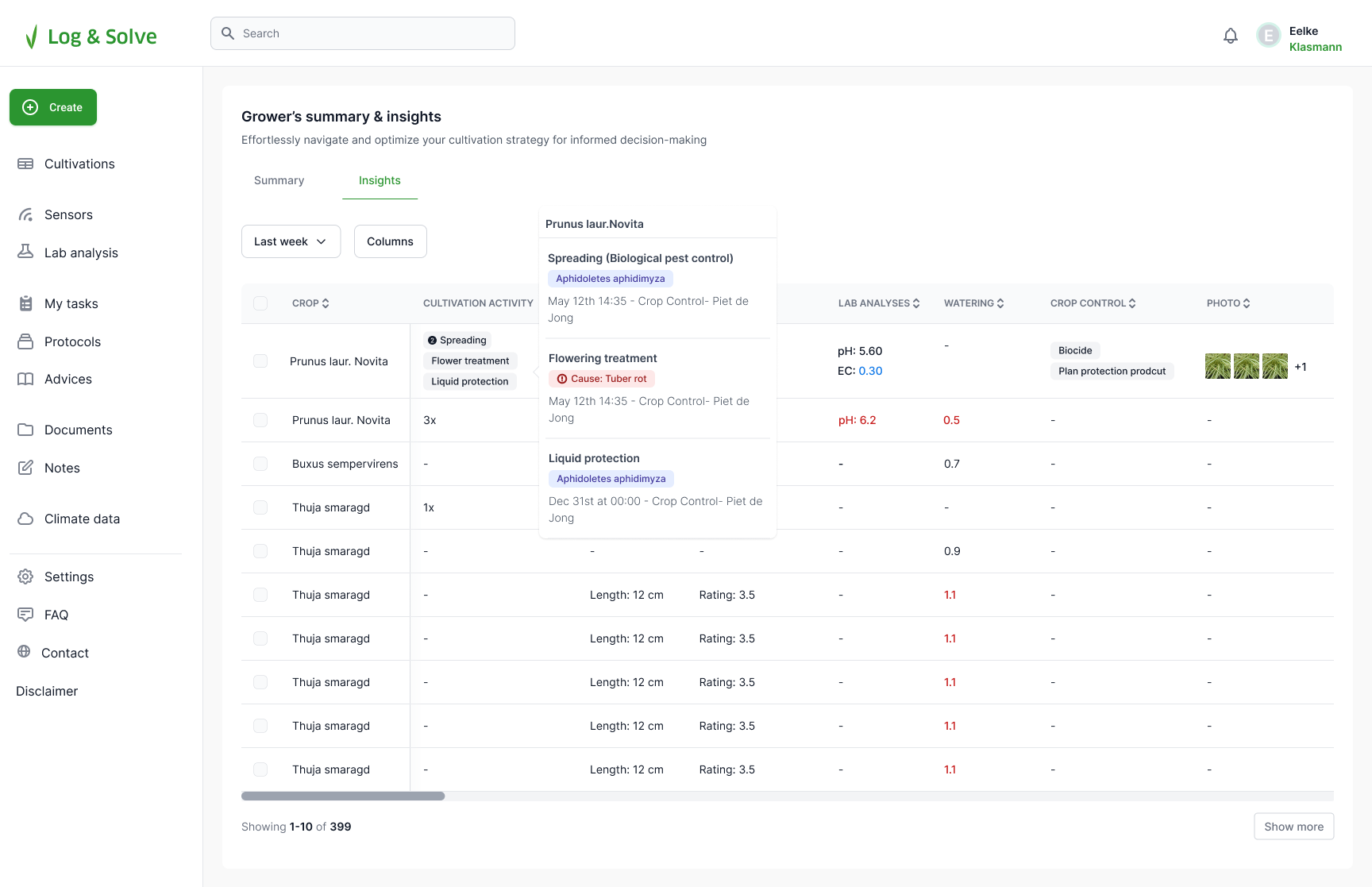
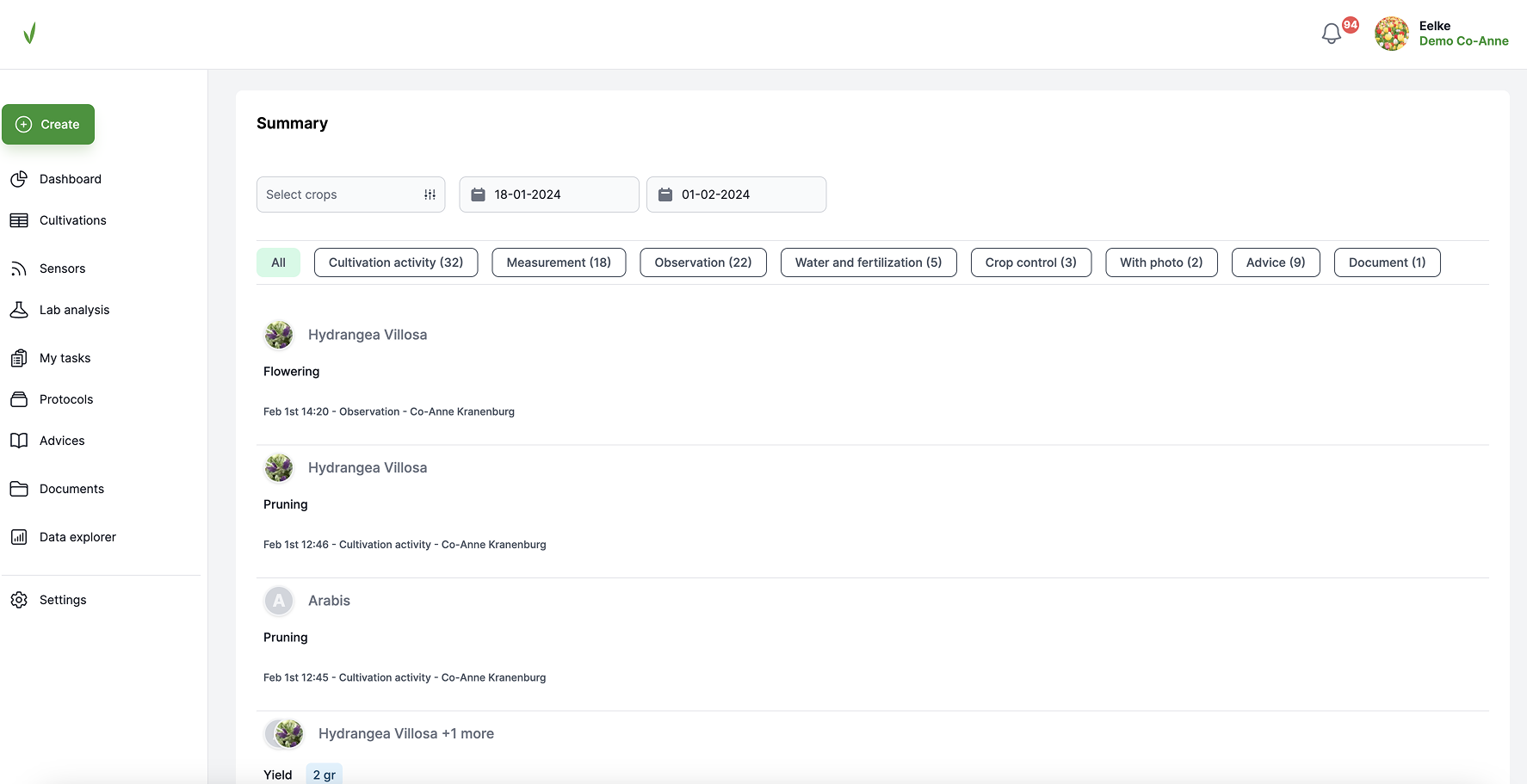
Drag to compare the previous activity feed with the redesigned Summary.
From feed to tool
From activity feed to decision-making tool
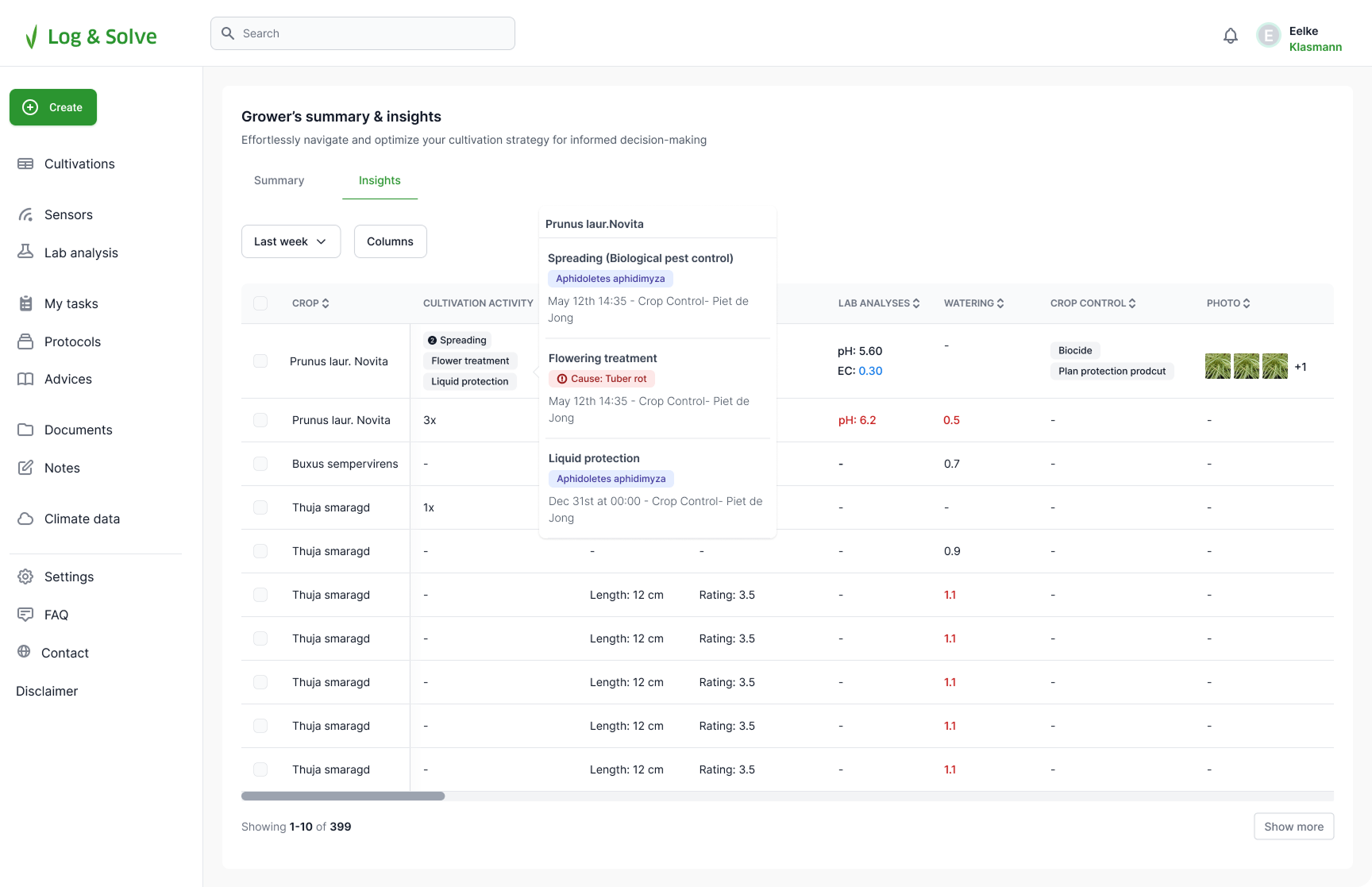
I redesigned the Summary around a comparative table that brought together cultivation activity, measurements, observations, lab analyses, watering, crop control and other crop data.
The main challenge was balancing information density with readability. Through several iterations with the team, I refined what should be visible by default and what should remain available on demand.
- A compact table for comparing crops
- Clear visual treatment for out-of-range values
- Configurable columns
- Progressive disclosure for additional activity details
- Pagination and horizontal scrolling for large datasets
- Direct actions from selected crops
Insight into action
Turning insight into action
A key part of the redesign was making the Summary more actionable. Managers could select one or more crops and create a task or advice directly from the overview.
This connected the analytical part of the product with the operational workflows, reducing the gap between noticing an issue and acting on it.
Outcome
The work resulted in more than a redesigned feature. The new information architecture gave the team a clearer shared model of the product, while the Summary redesign showed how that structure could translate into a more focused and actionable experience.
It also established reusable patterns for dense data, progressive disclosure, configurable tables and cross-feature actions that could be applied elsewhere in the platform.
The Summary prototype: full details on hover, activity history in context, and turning a selection of crops straight into a task or advice.
Reflection
This project reinforced the importance of stepping back from individual screens when working on a complex B2B product.
The most valuable part of the work was not a single interface, but creating a clearer relationship between users, product structure and workflows so that future design decisions could be made within a stronger system.
Work / Case study
A fintech rebrand after acquisition
Bringing Payvision's new brand to life across its website and platform UI after the company was acquired by ING.
Overview: Payvision, a young and successful Amsterdam-based fintech company, offers global payment processing services. After it was acquired by Dutch bank ING in 2018, it merged its affiliate company, Acapture, under the Payvision brand, starting a new phase of growth. I worked on the UX, design guidelines and UI that carried the new brand into Payvision's website and platform.
Role
Product Designer
Company
Payvision
Industry
Fintech / Payments
Timeline
2018 to 2019
Brand agency
Saffron
Methodology
Design thinking, Agile & Scrum
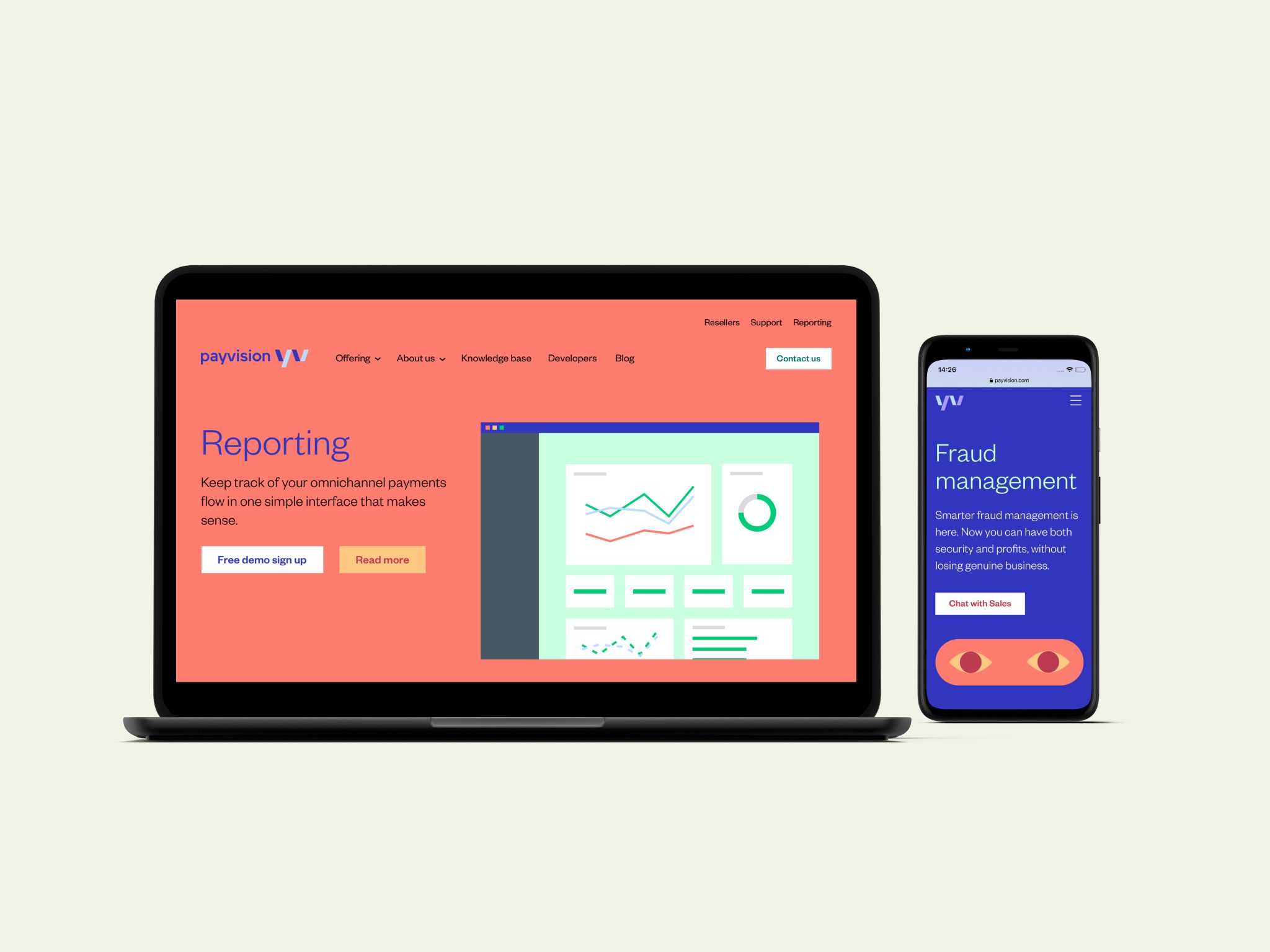
Rebranding
A new brand for a new phase
After the acquisition, Payvision brought its affiliate company, Acapture, under the Payvision name. The product team collaborated with the Saffron agency to create a new brand that reflects Payvision’s unique culture and bold spirit.

UX
Picking up the UX work
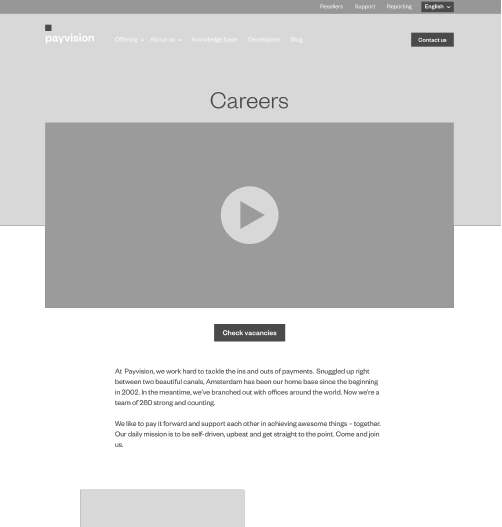
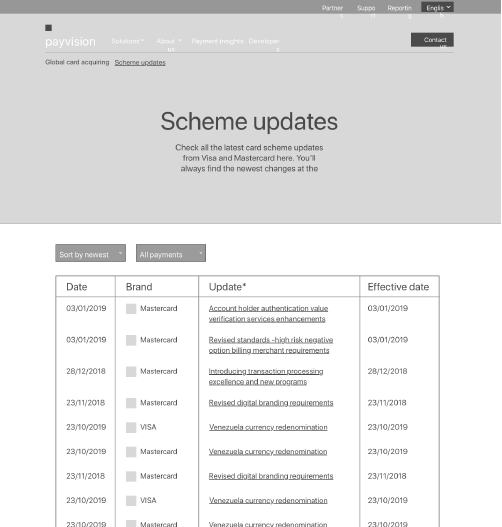
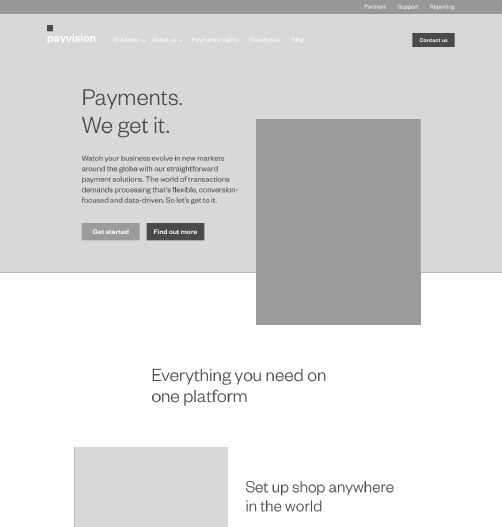
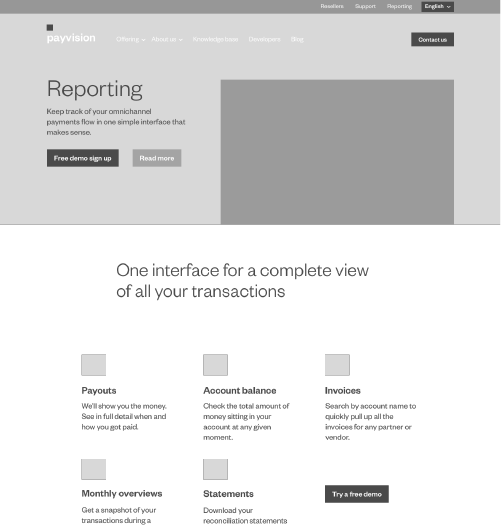
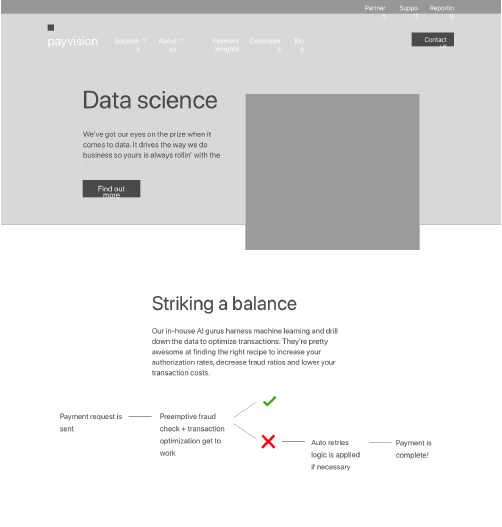
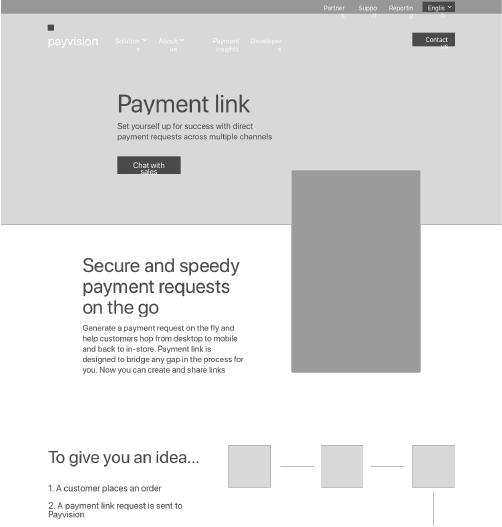
I joined the team to replace a product designer. At that time, considerable effort had already been invested in research, information architecture and wireframing. Together, we reviewed all the work completed so far, and then I focused on the next steps myself, particularly UI and animation.
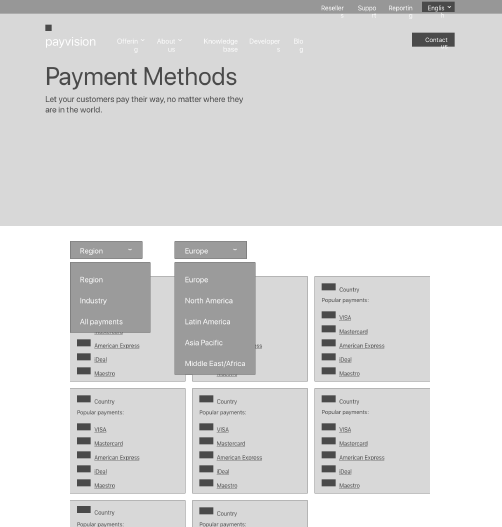
Design guidelines
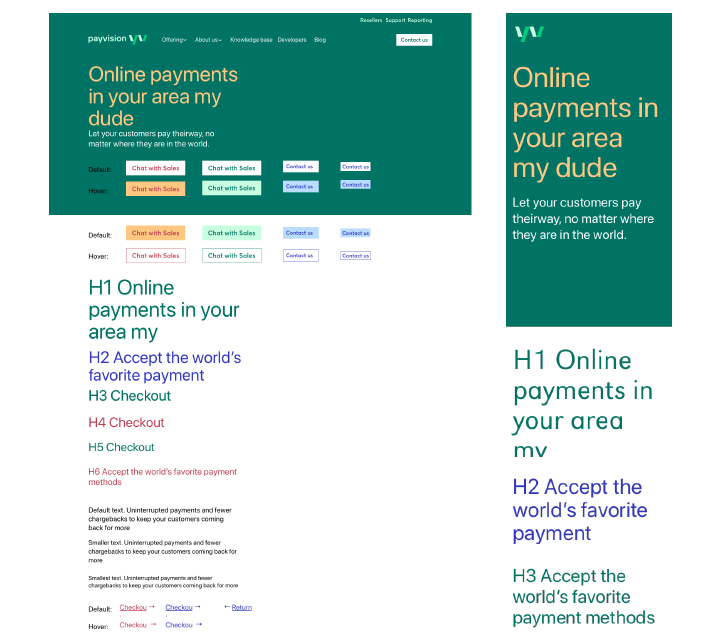
Guidelines for web and mobile
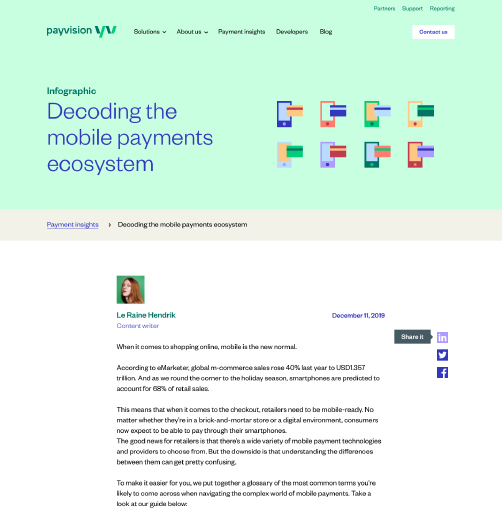
Together with the team, we created guidelines for Payvision’s website and mobile platforms. Everything from typography and color to buttons, flags, banners, dialog boxes, illustrations and switches was designed over the span of just a few months.
UI
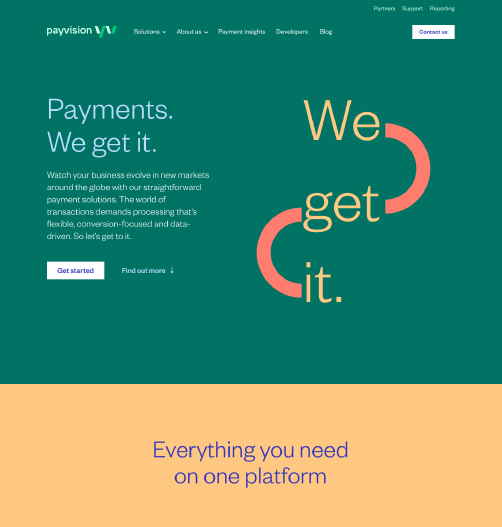
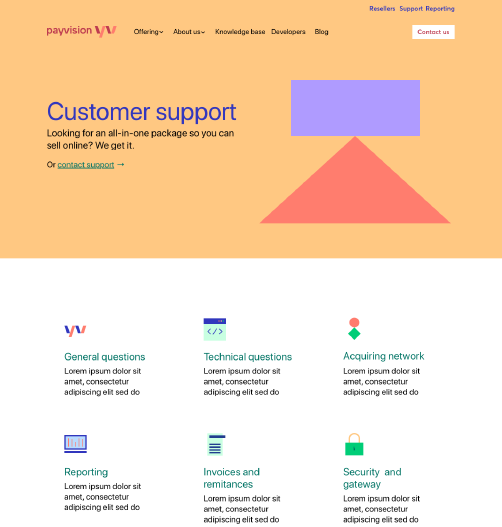
Designing the new website
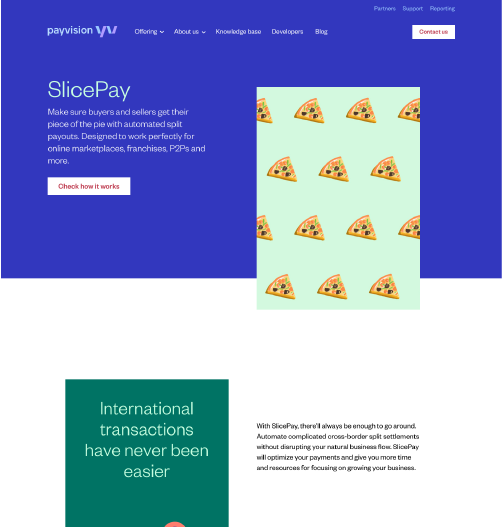
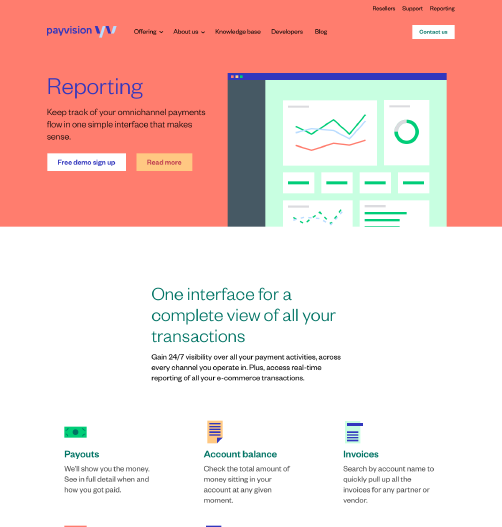
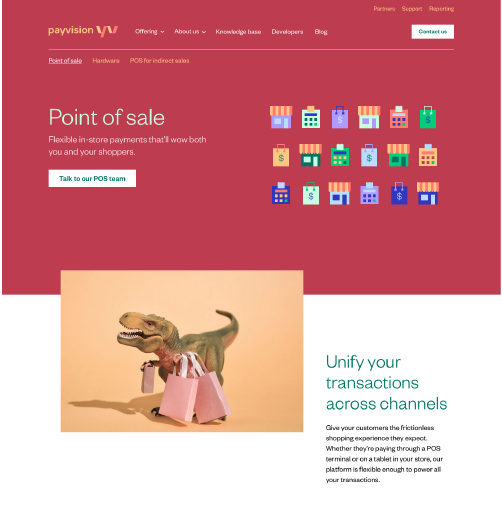
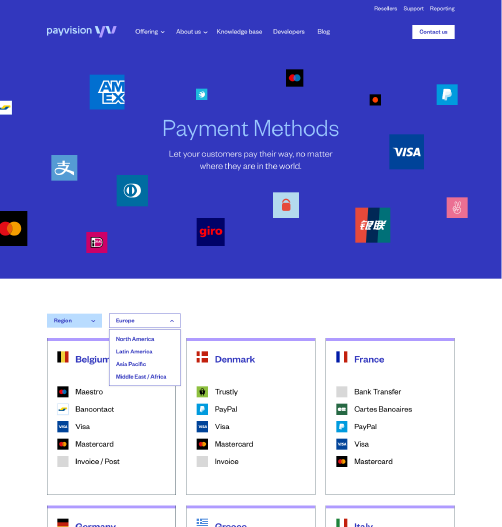
A significant part of my role was creating the UI and the final version of Payvision’s new website. My goal was to translate the new branding into the website, establish guidelines, design user-friendly interfaces, address the needs of stakeholders, and create a modern, attractive website to raise awareness.
Marketing
Supporting marketing
Part of my role involved supporting marketing, brainstorming ideas together to create videos, such as this one, explaining what Payvision does.
Payvision – A world without fraudsters.
Work / Case study
Unifying three platforms with one scalable React design system
I led the work to unify Admin, Sponsor and Participant around a shared design language, defining the components, patterns and documentation and bringing much of it into React. The system made development more consistent and allowed me to prototype and implement ideas much faster using AI-assisted workflows.
Impact: Reusable React components and documented patterns reduced repeated engineering work, improved consistency between design and production, and made it possible to prototype and ship ideas much faster. It also gave me more autonomy to prototype and implement ideas directly, while enabling the product manager and AI coding agents to make smaller changes within a clear system.
Role
Senior Product Designer
Company
Penelope
Industry
Fintech / Retirement platforms
Timeline
2022 to 2026
Platforms
Admin, Sponsor, Participant
Team
Product Manager, CTO, frontend developers, AI consultant, wider product team
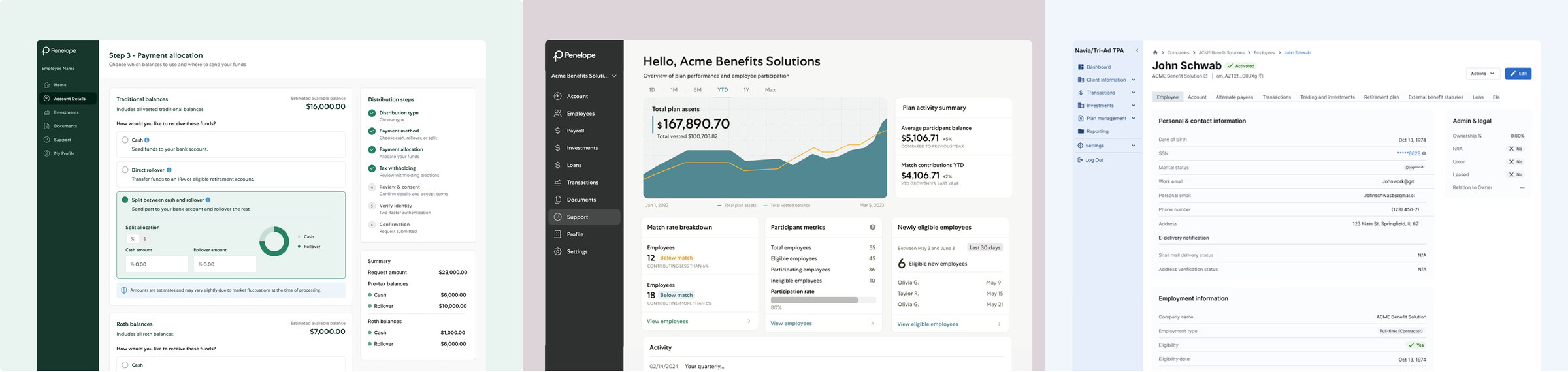
A screen from the new distributions flow, rebuilt with components from the new design system.
Context
Overview
Penelope had three connected products (Admin, Sponsor and Participant), but they had evolved with different component approaches and visual conventions. Sponsor and Participant used custom components, while Admin had moved toward a separate UI library. The result was a fragmented experience for users and a maintenance burden for engineering.
We decided to move toward a shared system built on shadcn primitives and semantic design tokens, then shape it around Penelope’s real product needs rather than adopting a library as-is. My role was to audit what already existed, define the component and pattern strategy with the team, document how the system should be used, and implement much of the work directly in React using Claude in Cursor.
The challenge
The design problem was not simply visual inconsistency. The underlying issue was that the team had three products behaving like separate systems.
- Admin, Sponsor and Participant had different visual languages and component conventions.
- Developers were maintaining similar UI patterns in different ways across the codebase.
- Fast delivery meant implementations did not always match Figma closely.
- New interaction patterns were frequently solved locally instead of becoming shared product rules.
- The system needed to work for current product teams while also becoming usable by AI-assisted development workflows.
Understanding the product
Auditing the product and defining the system
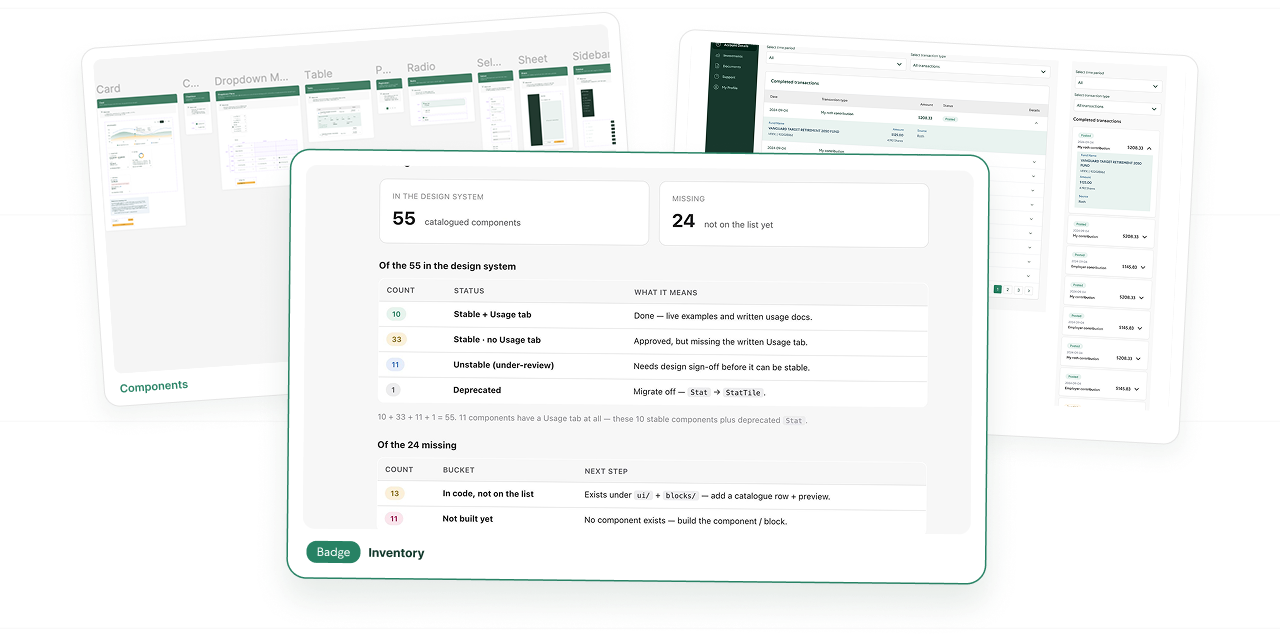
I started by creating a component inventory across the three products. For each area I looked at what already existed, where components overlapped, where behaviour differed, which patterns were missing, and which components no longer made sense to maintain.
I used the audit to decide what should stay, what needed to be standardised, what could be deprecated, and where new Penelope-specific patterns were needed. I then reviewed those decisions with the developers and incorporated their feedback around behaviour and implementation.
- Mapped components and patterns across Admin, Sponsor and Participant.
- Identified duplicate solutions and inconsistent variants.
- Separated primitive components from higher-level product patterns.
- Defined stable, under-review and parked states so the system could evolve without pretending every decision was finished.
- Used shadcn as a technical foundation while retaining Penelope-specific behaviour and brand rules.
Building the foundation
Creating foundations that could scale
Rather than relying on one-off styling, I documented shared foundations for colour, typography, spacing, grid, radius, borders, icons and accessibility. Semantic tokens allowed the same system to adapt across products while keeping the underlying logic consistent.
I also defined layout rules, including responsive grid behaviour, container widths, card spacing and multi-step flow patterns, so that teams would not need to reinvent page structure every time a feature was built.
The Grid documentation, top to bottom: the Container, margins & gutters, the breakpoint table, how columns reflow, and the recurring layout patterns. Use the controls to pause or scrub.
Beyond components
Turning recurring product problems into reusable patterns
The most useful part of the system was not the basic components; it was standardising the product patterns the team repeatedly struggled with.
Date range selection
I redesigned the date range experience so presets, custom dates and typed input behaved consistently. Changes are staged until Apply, preventing half-finished ranges from immediately triggering queries.
Table filtering
For data-heavy screens, I explored two reusable filter patterns: chip-based filtering for highly variable sets and a toolbar pattern for the filters people use every day. The goal was to make dense tables easier to understand without exposing every possible control at once.
Forms and multi-step flows
I created FormLayout and step-flow patterns to standardise field grouping, spacing, action placement, desktop sidebars and mobile progress states. This removed a lot of local layout decisions from feature work.
Banners and system messaging
I consolidated inconsistent banner and alert patterns into one component family with clear variants for info, warning, success, danger and neutral states, plus rules for when to use a Banner, Alert or Toast.
Page and dashboard composition
I documented shared recipes for dashboards, page headers, cards and navigation so the three products could feel related without forcing them into identical use cases.
Documentation
Documentation designed for people and AI
A large part of the work was documenting not just what each component looked like, but how and when it should be used. Each component page included examples, intended use, anti-patterns, implementation notes and known gotchas.
That level of usage documentation was important for developers, but it also made the system far more useful for AI-assisted workflows. Agents had more context about the product’s rules instead of only seeing code or visual examples.
- Use for / Don’t use for guidance.
- Component examples and product-specific scenarios.
- Responsive behaviour and layout rules.
- Accessibility guidance and live contrast checks.
- Usage notes that explain intent, not only implementation.
- Clear status labels so unfinished patterns are not treated as final.
Recorded in the design system documentation: the TableFilterChips examples and filters in use, then the Usage tab with guidance. Use the controls to pause or scrub.
Contribution
Keeping the system open to the team
The design system was not a closed library that only I could change. New components and patterns were also being created by other team members as they worked on product features. I introduced a simple review process so those contributions could become part of the shared system without losing consistency.
New or changed components could stay under review while I checked their behaviour, states, documentation and alignment with the rest of the system before moving them to stable.
I also created a What’s New page where the team could quickly see new components, changes and patterns that needed feedback. This gave everyone a visible place to follow the system as it evolved and made it easier to collect feedback before decisions became final.
The goal was not to control every contribution, but to create enough structure for the whole team to contribute safely.
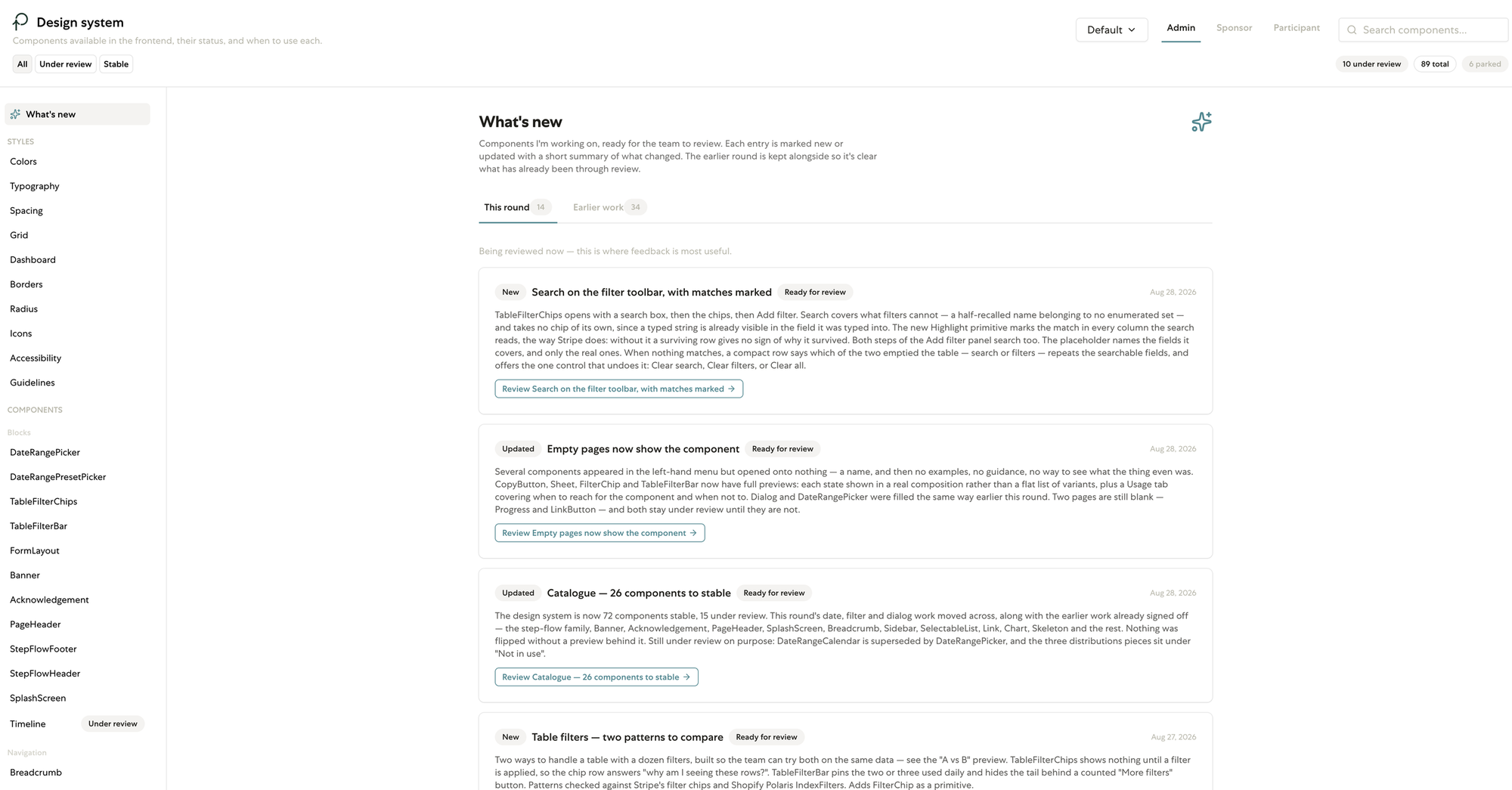
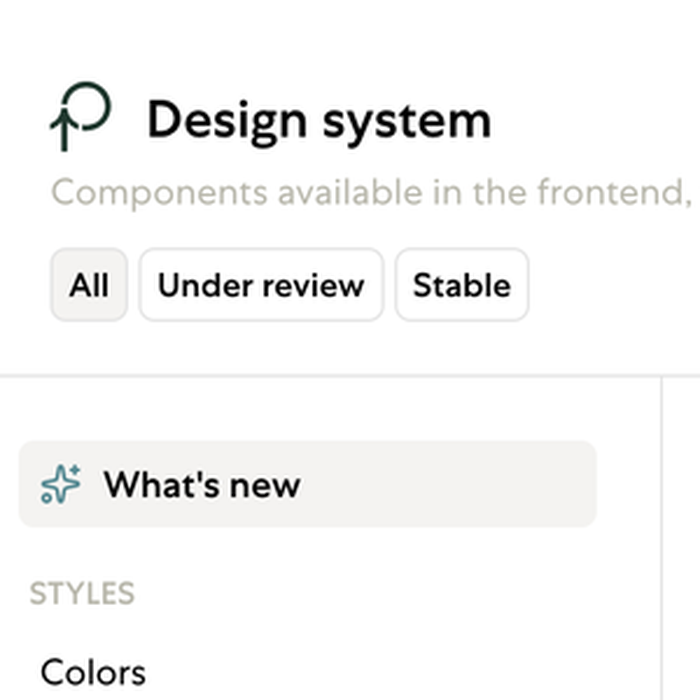
The design system documentation tracks each component's status, with filters for Under review and Stable and a What's new page listing what is ready for review.
From design to production
Moving from Figma into the codebase
I did not stop at design handoff. I worked directly in the React codebase using Claude in Cursor, translating the decisions we had made in Figma into real components and documentation.
This changed the collaboration model. Instead of waiting for a developer to interpret every design, I could test ideas against the actual system, build fast prototypes, fix smaller UI issues myself and bring engineers something much closer to production.
One implementation challenge was keeping the work aligned with a fast-moving master branch. My original branch had fallen 320 commits behind and a straight merge produced 51 conflicts. Rather than merge a stale branch, I created a fresh branch from current master and re-applied the design-system work on top of it, keeping the stronger existing solutions where master had already solved the same problem. The result was a clean merge path: 51 conflicts reduced to 0.
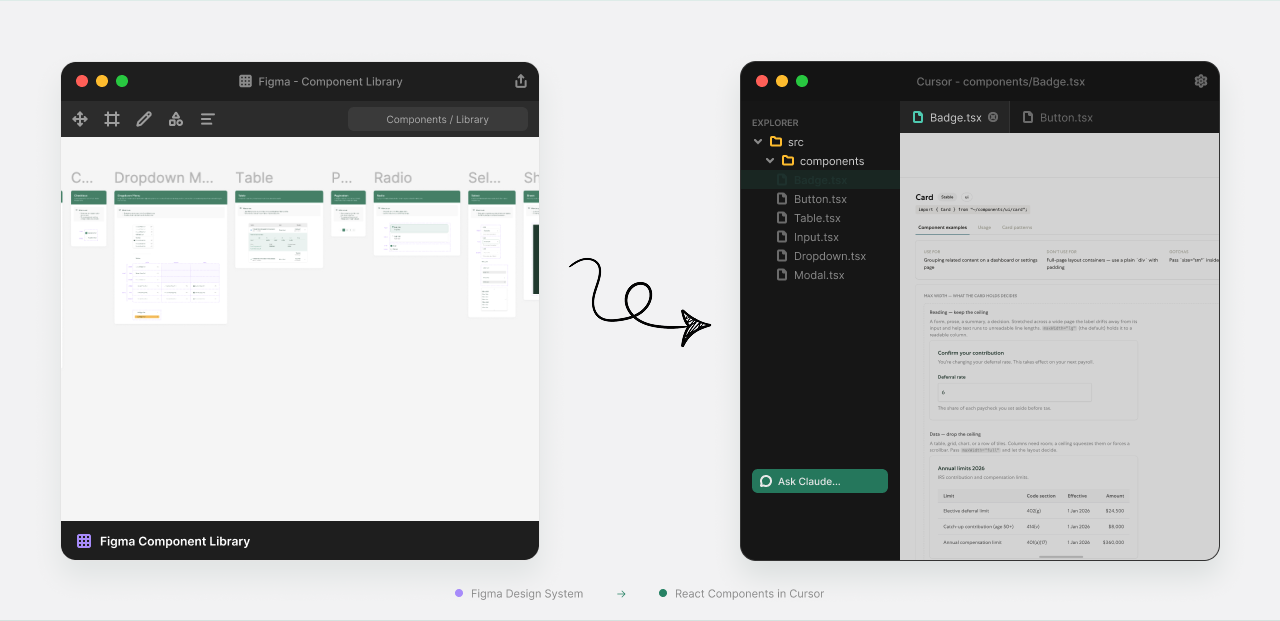
Finalising the system
Finalising the system together
The final phase focused on reviewing contributions, resolving remaining behaviour issues and turning the components the team was already using into reliable shared patterns.
During this pass I reviewed new and existing components, incorporated feedback, completed missing documentation and moved 26 components from under review to stable.
89
components catalogued in the shared system, each with its status and intended use
26
components moved from under review to stable during the final pass
3
products (Admin, Sponsor and Participant) working from the same documented patterns
Impact
The biggest impact was not a single component. It was that design decisions became reusable infrastructure.
- A shared React system replaced repeated one-off implementation work across three products.
- Design and production moved closer together because the same system could be tested directly in code.
- I could prototype and implement feature ideas faster without waiting for a full engineering cycle.
- Developers could reuse documented patterns instead of interpreting every screen from scratch.
- The product manager gained enough structure and confidence to make smaller changes safely.
- AI coding agents had clearer component usage rules, reducing the chance of generating UI that looked plausible but broke product conventions.
- The design-system workspace catalogued 89 components and made their status and intended use visible to the team.
Reflection
This project changed the way I think about design systems. The value was not in creating a large library of polished components; it was in creating a shared language between product, design, engineering and increasingly AI.
Because I was involved in the product decisions, the Figma documentation and the React implementation, I could see where the real friction lived. That made the system more practical: fewer abstract rules, more reusable answers to the problems the team actually had.
It also reinforced the kind of work I enjoy most: getting deeply involved in a product, shaping how the team works, and using design, systems thinking and technology together to make product development faster and more coherent.
This case study
This case study contains confidential work and is password protected. Enter your access code below, or get in touch to request access.
That code isn’t right — try again, or get in touch below.
Request access →Work / Case study
Designing an AI-powered reporting tool for clinical trials
Turning a slow, expensive reporting process into a collaborative AI workflow for Bayer Pharma.
Overview: Bayer teams relied on strategic reports that could take months to produce and required expensive external agency support. Rune explored whether AI could bring more of that work in-house, helping teams research, synthesize information, collaborate and turn conversations into usable reports much faster. My role went beyond interface design: I researched how teams worked, mapped the people and workflows behind the reports, helped shape the product direction, facilitated ideation with the team, designed the core experience, and created launch materials to help people understand and adopt the product.
Role
Lead Product Designer, embedded with the product team
Company
Bayer
Industry
Pharma / AI
Timeline
2024
Product
Rune, an internal AI research & reporting tool
Team
Bayer product lead, backend/data specialist, frontend engineer, product/data contributors, agency partners and Bayer domain experts
Focus
AI-assisted research and reporting, collaboration, report editing, trust and adoption
Context
The problem
The opportunity was not simply to add a chatbot. The existing reporting workflow was knowledge-heavy, fragmented and slow. Users needed to combine internal expertise, documents, external information and team input, then turn all of it into a structured report they could actually use.
- Reports could take months and involve costly external agency work.
- Important knowledge was spread across people, files and existing research.
- AI output still needed context, references, editing and human judgement before it was useful.
- The product needed to support collaboration rather than replace the way teams already worked together.
Research
Understanding users and shaping Rune
I started by learning how Bayer teams actually created these reports. Through conversations with team members and users, I mapped roles, goals, pain points, reporting steps and the decisions people needed to make. I turned this into personas and workflow understanding that the team could use when discussing product priorities.
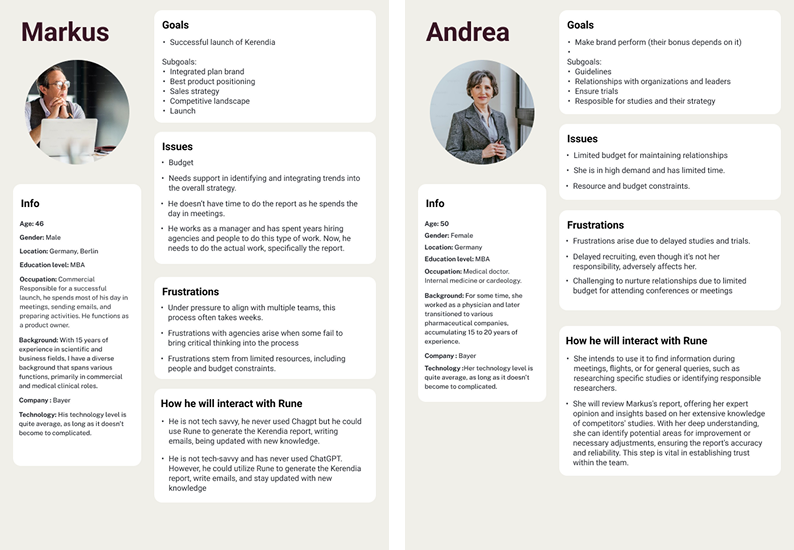
Personas mapping the different roles, goals and frustrations behind Rune’s reporting workflow.
In parallel, I reviewed emerging AI products and patterns, analysed another AI initiative inside Bayer, and facilitated brainstorming sessions. That internal landscape was complex: the teams needed to collaborate and share knowledge, while also differentiating their approaches. A meaningful part of my role became helping the team clarify what Rune should be, not only what the screens should look like.
Creating a shared product direction
To align a multidisciplinary team moving quickly, I translated the research into a product vision, product values and design principles. These gave us a common way to evaluate ideas: user-centred, simple, trustworthy, collaborative, empowering and practical enough to fit real Bayer workflows.
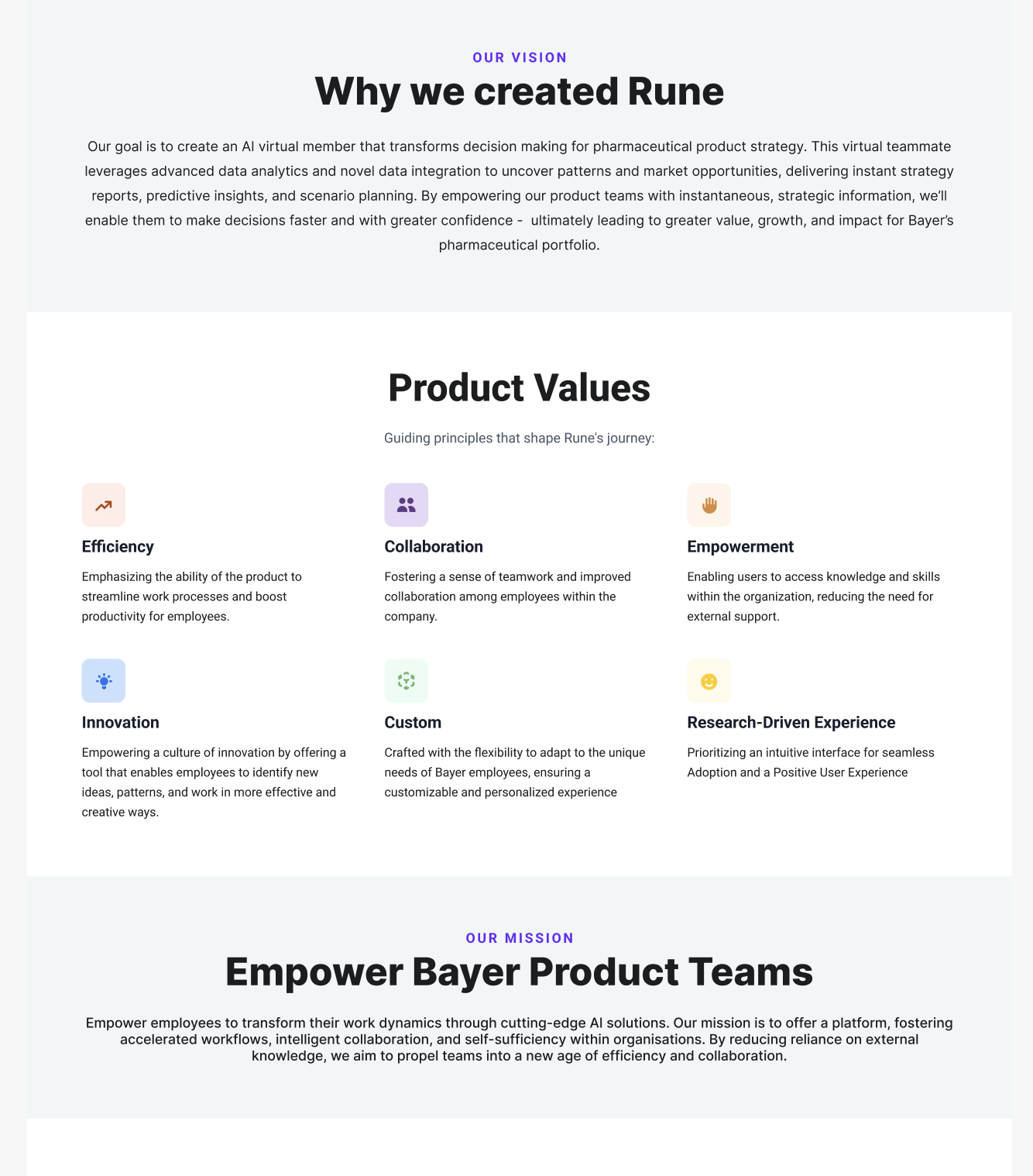
The vision, values and mission I defined for Rune, used across the team as a shared way to evaluate ideas.
Core concept
The core solution: conversation + report editor
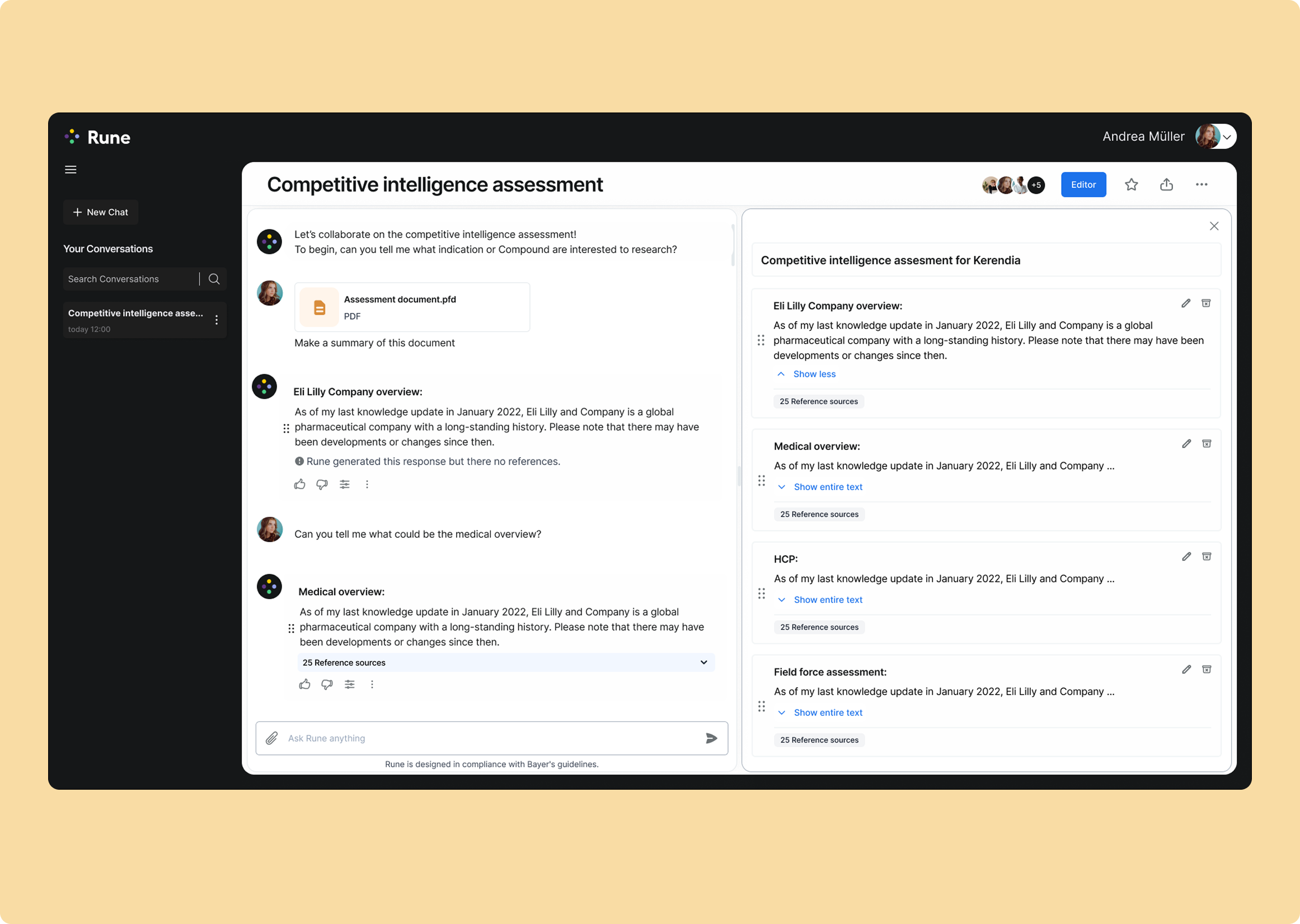
The central design decision was to connect AI conversation directly to report creation. Instead of treating the chat as the end product, useful outputs could become building blocks for a structured report.
- Chat with Rune, upload source material and explore a topic conversationally.
- Drag useful responses into a report editor instead of copying and pasting between tools.
- Reorder, edit, shorten or simplify generated content while keeping the report structure visible.
- Expose references and source counts so users can judge where content came from.
- Export the resulting work into formats teams already use, such as Word, PDF or PowerPoint.
The conversation and the report editor working together: answers move straight from the chat into structured, referenced report sections.
This made the experience feel less like “ask AI and hope for a good answer” and more like a workspace for building a piece of strategic work with AI assistance.
Product decisions
Product decisions that made the workflow useful
Designing for control
Generated content could be moved, edited and rearranged. I explored drag-and-drop states, inline editing, bulk editing and different ways of moving content between the conversation and the report. The goal was to keep users in control of the final narrative rather than locking them into AI-generated structure.
Reordering blocks by drag and drop, then selecting several at once to edit or delete them together.
Designing for collaboration
Report creation was already collaborative, so we explored team participation inside Rune: inviting colleagues, showing who was in a conversation, assigning different levels of access and keeping the report as shared work rather than a private chat transcript.
Inviting a colleague: type their email, add them, and they appear in the list with a View only role by default.
Designing for trust
References were essential for building trust in AI-generated content. I made sources easy to inspect throughout the conversation and report flow, so users could verify information before using it.
A closer look at the conversation: hovering a reference number previews the source, and pressing it opens the full reference inline.
Supporting patterns
Building the product around the reporting workflow
Beyond the report editor, I designed supporting patterns for collaboration, continuity and adoption.
Collaboration
Team members could react to AI outputs and work around the same shared conversation.
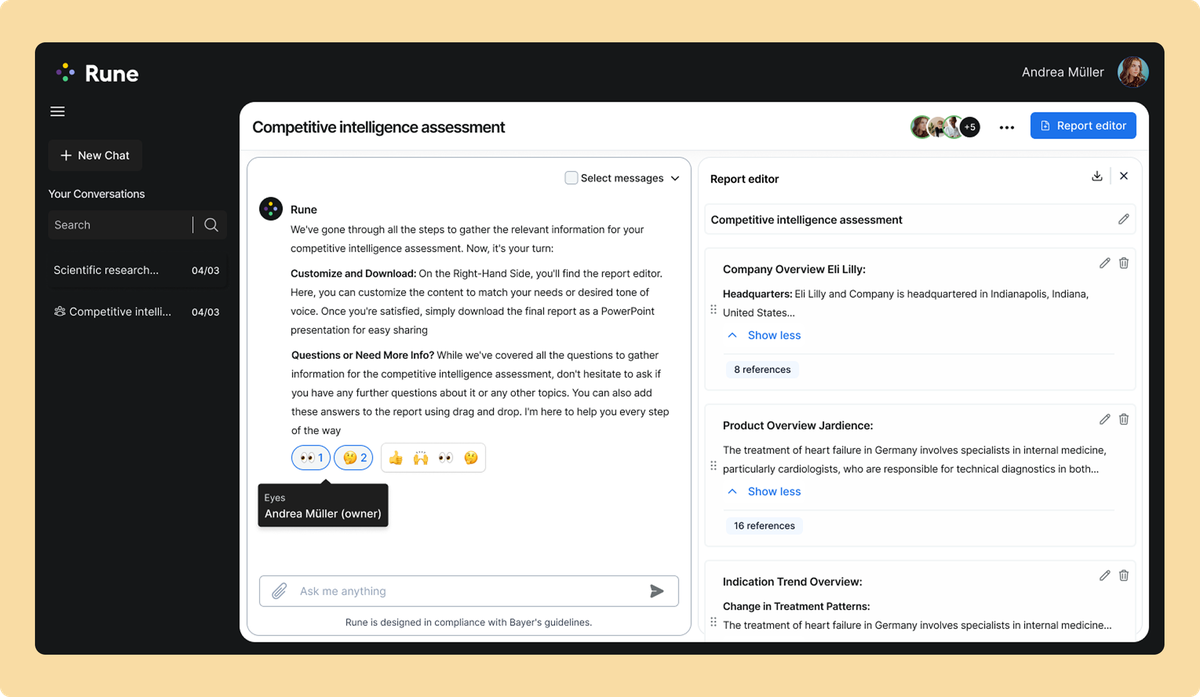
Continuity
A report library made it easier to return to previous work and continue across sessions.
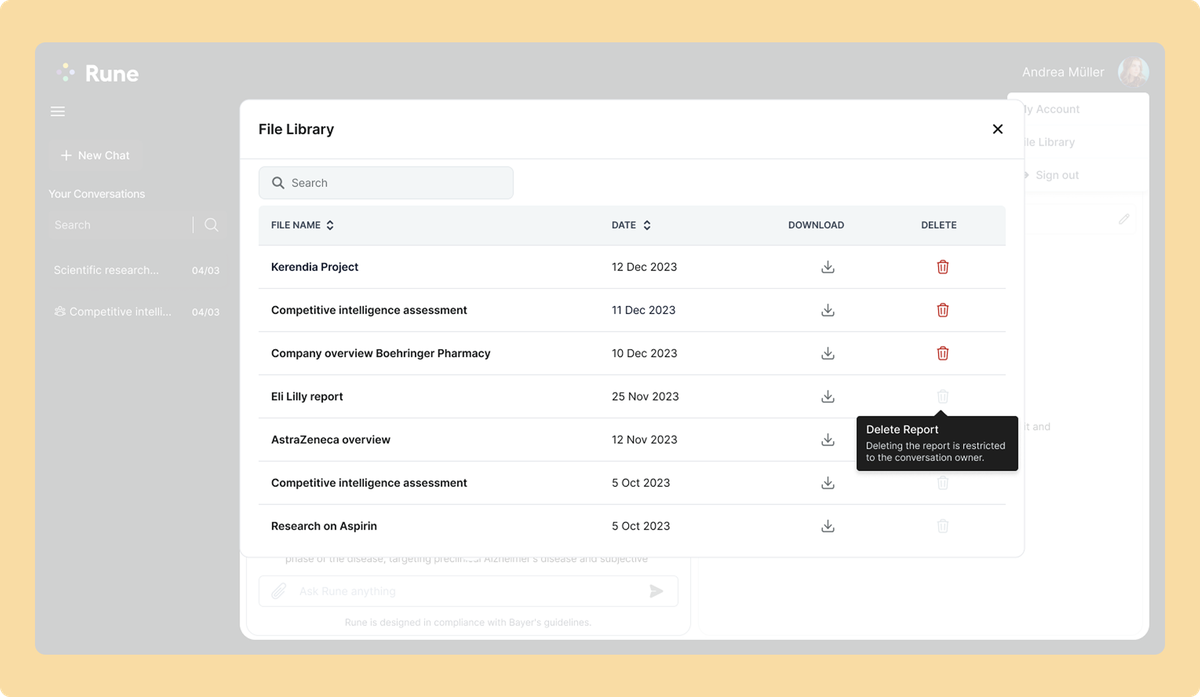
Adoption
Help and onboarding gave users a way to revisit guidance as they learned how to work with Rune.
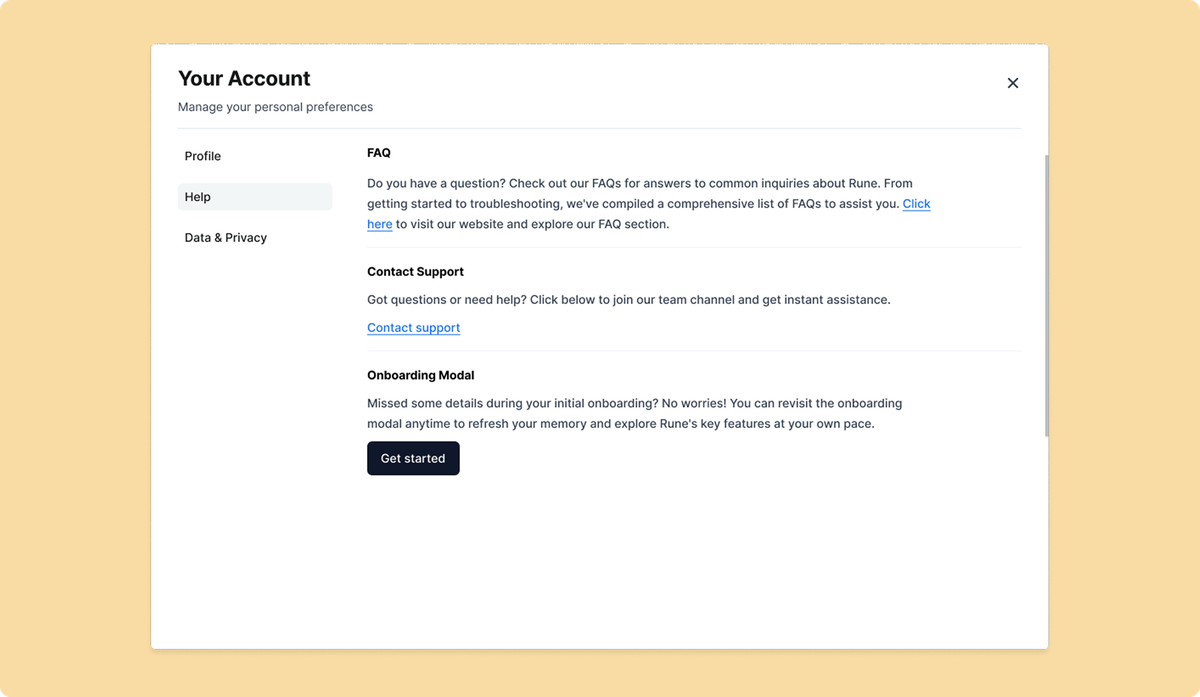
Positioning & launch
Launching and explaining Rune
I also worked on how Rune was positioned and introduced internally, translating the product vision into a consistent launch story. I created:
- landing page design and copy
- launch banners and campaign materials
- newsletter concepts
- blog content
- Teams copy and internal announcements
- supporting marketing assets for demos and launch
The messaging focused on Rune as a pharma strategy teammate that helps people create, collaborate and turn AI-assisted research into useful work.
Because the positioning came from the same research and product principles that shaped Rune, the launch story felt like an extension of the product rather than something added at the end.

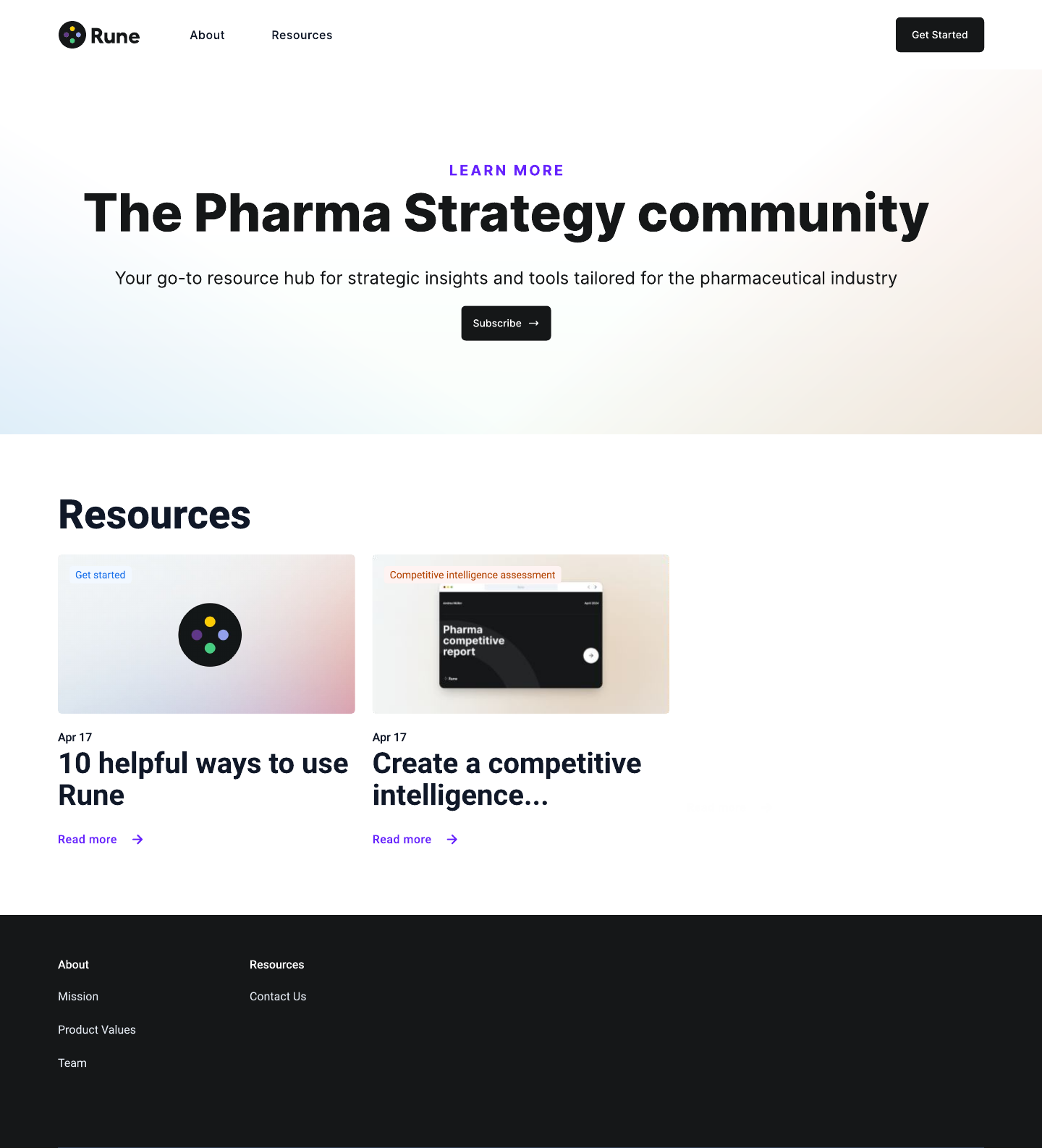
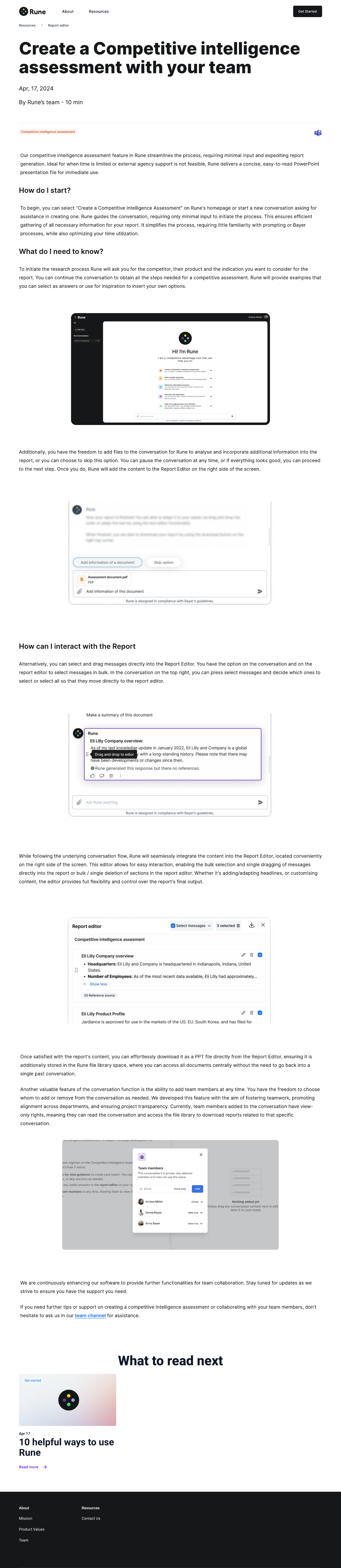
The Rune landing page, Resources hub and a sample article. Click Resources in the navigation to explore, and the Rune logo to go back.
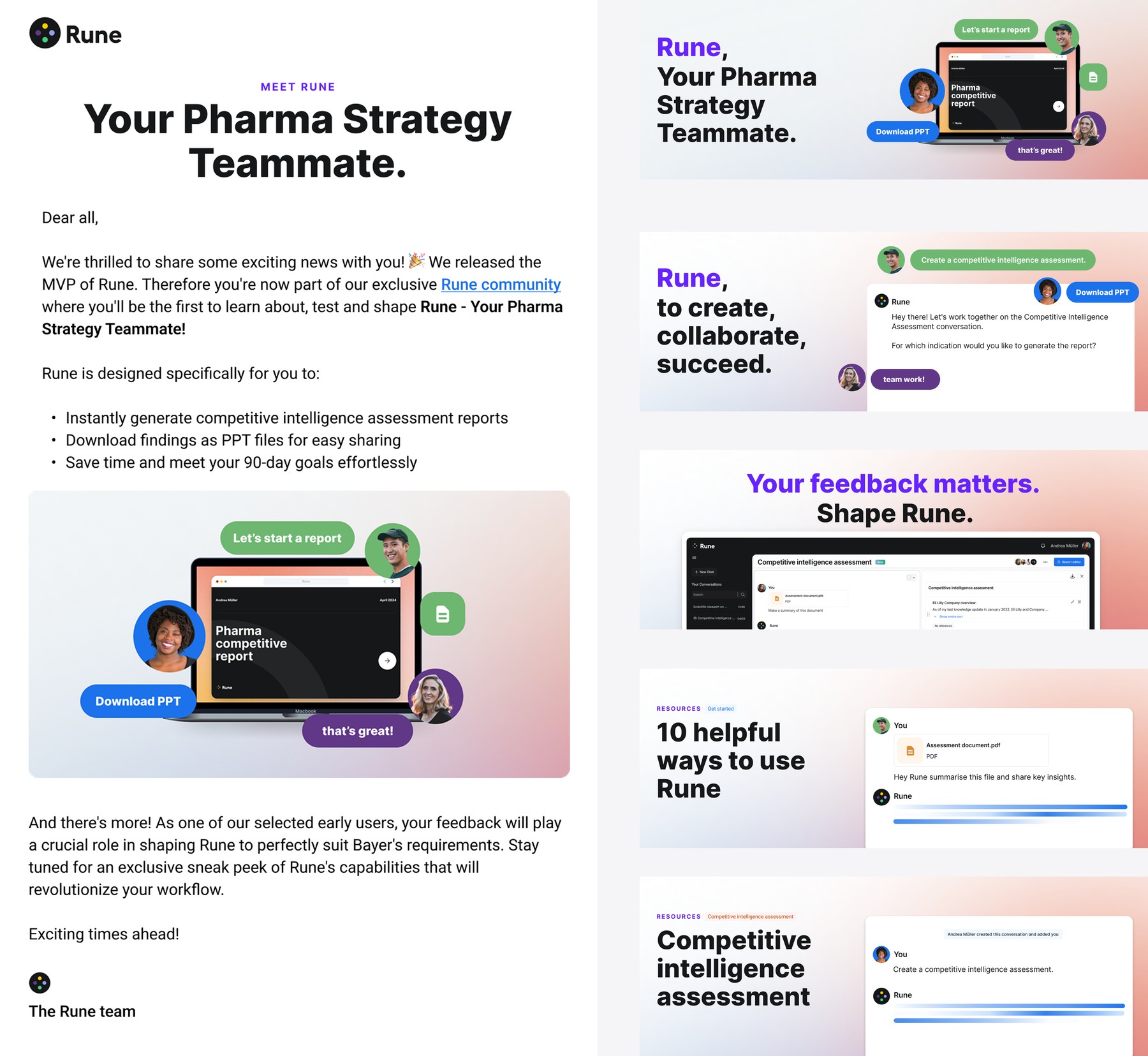
The launch newsletter and a set of promotional banners, all built from the same landing page visuals and language.
Outcome
What the work established
- A clearer product direction for an internal AI initiative in a complex domain.
- A core interaction model that connected conversation, evidence and report creation.
- Collaboration and editing patterns that kept users in control of AI-generated work.
- A shared product language the team could use across design, development and launch communication.
I have had the great pleasure of creating two highly complex products together with Laura (altogether over one year of collaboration). She is well-trained, highly experienced, and very gifted in her field, which shows in the exceptional quality of her work.
She is fast, always meets deadlines, and delivers work that is deeply thoughtful and always keeps the user at the forefront. I can’t recommend her more highly and hope we have the opportunity to work together again soon!

Elaina Bolinger, PhD
R&D DS&AI Senior Director, Bayer · Lead Manager of the Rune project
Reflection
At the time, AI interfaces were still very new, and there was a lot we didn’t yet understand about how people would interact with them.
For Rune, a chat interface made sense as an MVP. It gave users a familiar way to explore information, build a report step by step and collaborate in a way that was close to how the team already worked.
But I didn’t see chat as the final form of the product. AI does not need to live in a conversational interface, and I think we will continue learning much more about what these experiences should become as users grow more familiar with them.
What I found most exciting was the potential beyond the MVP: using AI to support more of the team’s workflow, reduce repetitive work and make complex strategic work faster and more efficient.